AgentWatch
In brief: AgentWatch watches local coding-agent conversations, filters for product decisions, and proposes story and scenario updates so your QA surface evolves with development—across all your developers.
Tribal knowledge—the hallway discussion, the coffee-table decision, the “we agreed guests must enter an address”—was often the hardest part of the SDLC to capture. Whether you like it or not, with the shift to coding agents those conversations now happen almost verbatim in agent chats: a bit better filtered, and a near-perfect place to capture the same knowledge.
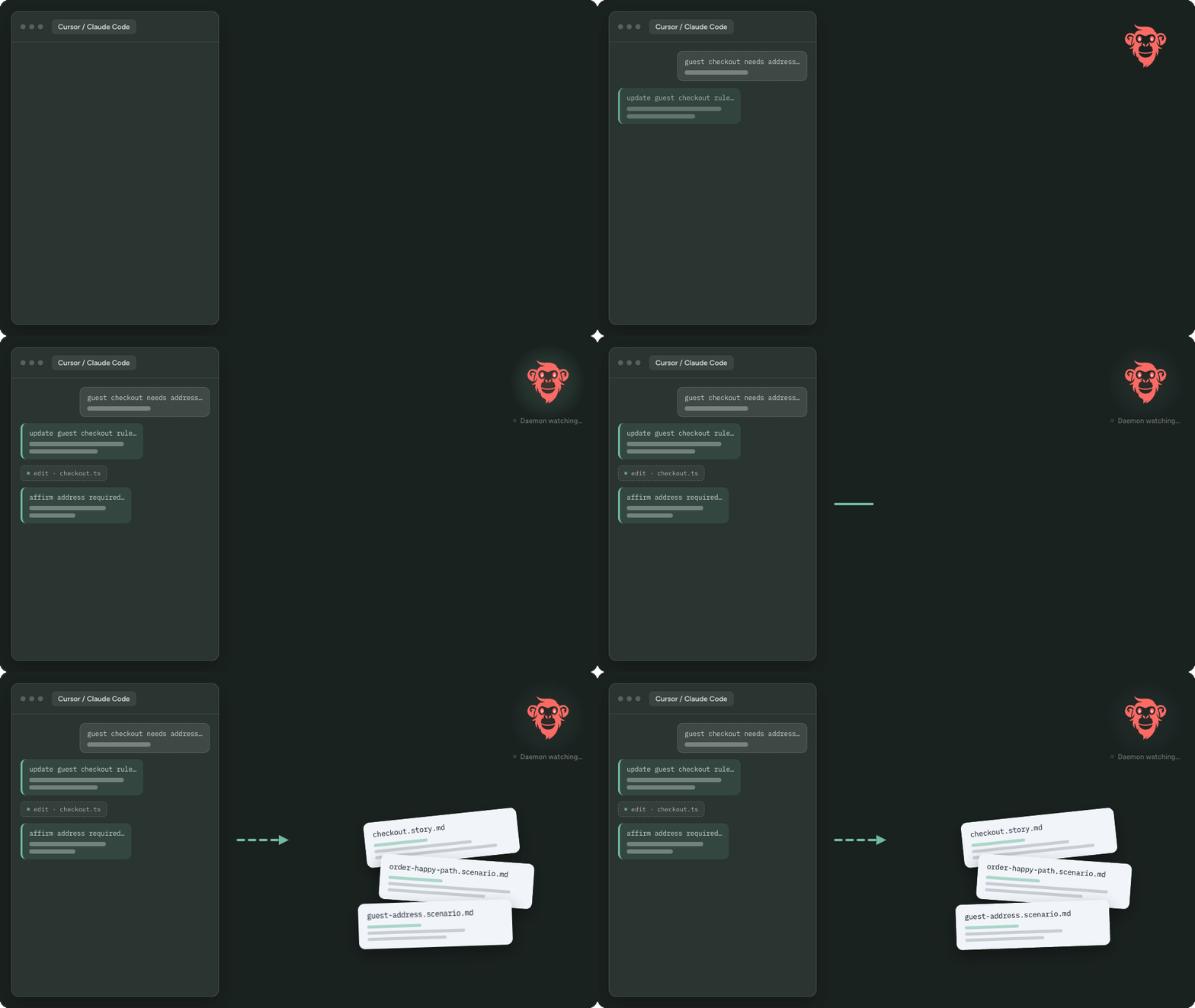
AgentWatch (in TestChimp Studio) does exactly that. It watches your agent interactions—Cursor, Claude Code, Codex, and 20+ other agents—to spot when business rules are decided, UX expectations are finalized, or finer-grained constraints get defined. It then proposes updates to user stories and scenarios so your QA surface evolves alongside product development—across all your developers.
What it is for
AgentWatch closes the gap between how the product is being built in agents and what your QA plans say the product should do.
| Without AgentWatch | With AgentWatch |
|---|---|
| Specs drift while agents ship decisions in chat | Decisions that affect verifiable product behaviour are proposed as plan updates |
| Tribal knowledge lives in one developer’s thread | Updates land in the shared stories / scenarios corpus for the project |
| QA workflows run against stale acceptance criteria | Approved plan changes course-correct downstream QA automatically |
| Manual archaeology after the fact | You review a plan, approve, and raise a PR |
It complements Meeting Bots—meetings capture tribal knowledge spoken aloud; AgentWatch captures the same class of decisions as they are refined with coding agents.
Developer experience (DevX)
From a developer’s point of view, the loop is intentionally quiet:
- You keep working in Cursor, Claude Code, Codex, or another supported agent.
- Studio’s AgentWatch daemon (backed by AgentsView) indexes those local sessions for mapped projects.
- On your configured sync cadence, TestChimp looks for chat chunks that contain product decisions worth reflecting in plans.
- When something material is found, Studio notifies you with an AgentWatch plan—proposed adds/updates to stories and scenarios.
- You review, approve (or reject), and the plan executes into your
plans/folder. - You raise a PR. Downstream QA workflows pick up the updated surface.
You do not need to paste transcripts into TestChimp or remember to “write that down as a scenario.” Enable AgentWatch, map your local folders, and keep shipping.
How it works (high level)
Agent chats (Cursor / Claude Code / Codex / …)
        │
        ▼
 AgentsView daemon (local session index)
        │
        ▼
 Sync tick (cadence) → map sessions → project
        │
        ▼
 Semantic neighbours (stories / scenarios)
        +
 Jev filter (score: decisions? which plans affected?)
        │
        ▼
 LLM plan authoring (batch) → pending AgentWatch plan
        │
        ▼
 You approve → stories/scenarios updated → PR
Two design choices matter:
- Not every chat chunk is product guidance. Agent conversations are verbose. AgentWatch uses Jev (TypeSafe’s System One decision model) as a first-pass filter at scale—across developers—before spending an LLM pass on plan updates. See How to enable and configure for the filter + embedding neighbour pattern.
- You stay in control. Plans await approval. At most one pending AgentWatch plan exists per project on a Studio install; later syncs update that pending plan instead of spawning duplicates.
Prerequisites
- TestChimp Studio installed and signed in
- A TestChimp project with a local folder mapped (so sessions can be attributed to the right project)
- A QA baseline before day-to-day sync runs (roughly ≥ 10 stories or ≥ 20 scenarios)—or bootstrap / import first; details in the how-to
Learn more
- How to enable and configure AgentWatch — settings, cadence, agents, baseline, approval loop
- Agent Sessions Explorer — browse chats, search, extraction history, force extractions
- TestChimp Studio — desktop control pane
- Requirement planning — stories and scenarios as code
- Semantic Canvas — the shared embedding space AgentWatch queries for neighbours
- Meeting Bots — tribal knowledge from live calls
FAQ
What is AgentWatch?
A TestChimp Studio feature that watches local coding-agent chats, identifies product decisions (business rules, UX expectations, constraints), and proposes updates to stories and scenarios so the QA surface stays current.
Which agents does AgentWatch support?
Cursor, Claude Code, Codex, and 20+ others via the pinned AgentsView provider set. You choose which agents to watch in Settings → AgentWatch.
How does AgentWatch use Jev?
Jev filters verbose agent chat chunks for product-relevant decisions at scale. Semantic neighbours from TestChimp’s embedding space are included so Jev can score impact without stuffing the full story/scenario corpus into its context window.
Do I approve changes before stories update?
Yes. AgentWatch authors a pending plan; you review and approve or reject. Approved plans update plans/ so you can raise a PR.