From Manual Session to Automation Test

Manual testing still finds what automation misses—but too often, the path from a good manual run to a reliable automated test is broken.
Teams try Playwright codegen or record-replay tools, get a script quickly, and then spend weeks fighting flakes: shared data, missing assertions, no link back to the scenario, and no fit with POMs or fixtures already in the repo.
Today we’re announcing a workflow we recommend for turning manual sessions into SmartTests: capture with traceability, then let a coding agent upskilled with TestChimp author automation that actually belongs in your codebase.
The problem with “just record it”
Record-replay—including Playwright codegen—optimizes for mirroring UI clicks. That is not the same as authoring a repeatable test.
Real automation needs:
- Arrange: seed data, fixtures, run-scoped entities
- Act: the journey that matters (often shorter than what a human clicked through)
- Assert: UI checks and backend state where outcomes live
Recorders capture the act layer well. They usually skip arrange and assert, and they never know which business scenario you were proving.
The result is familiar: tests that pass once on a developer machine, then fail in CI because the world-state was never set up—or because the script asserts the wrong thing (or nothing at all).
What we do instead
TestChimp connects manual execution, test planning, and agent-authored Playwright in one loop.
1) Capture the manual session—with scenario context
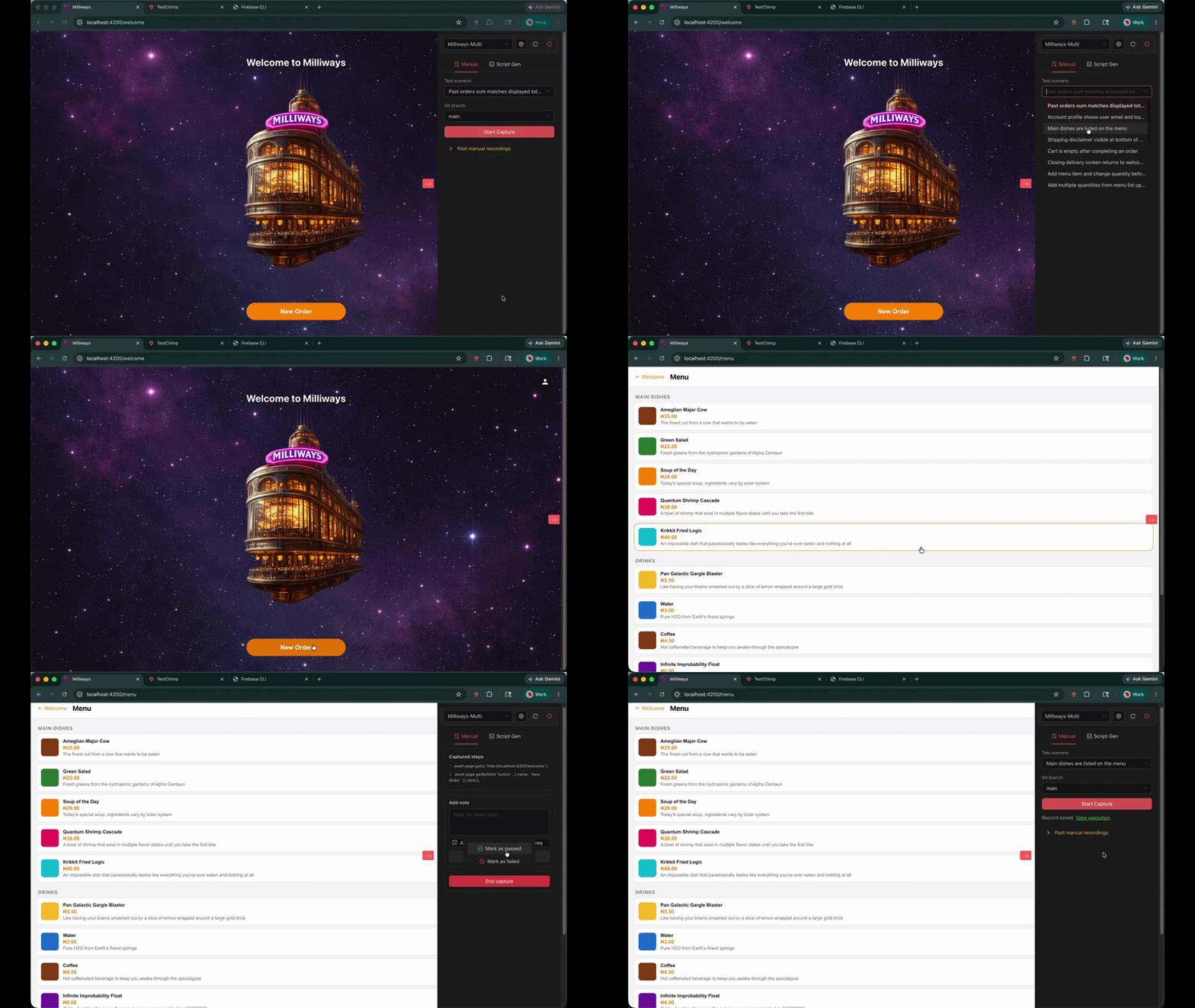
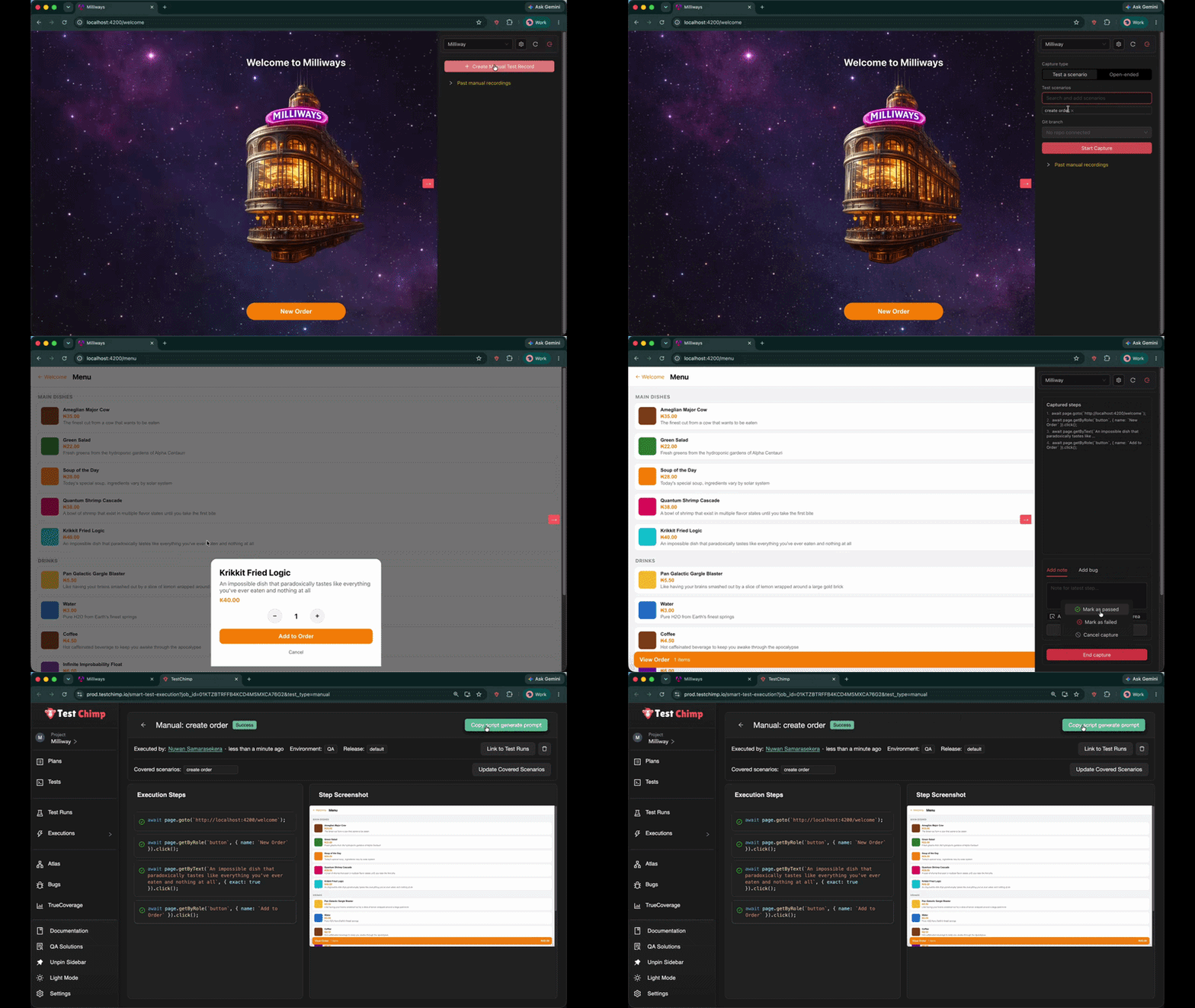
Use the TestChimp Chrome extension Manual tab to record a session while exercising your app. Start from Test Planning so the scenario is pre-linked (recommended), or link a scenario as part of the workflow.
What gets stored:
- Step-by-step actions and screenshots
- Linked scenarios (business context)
- Environment and release metadata
- Pass/fail outcome and optional bugs/notes
The session is auditable manual evidence and the reference for automation—not a throwaway recording.
2) Generate prompt → coding agent
Open the session in TestChimp (Executions → Manual Sessions) and click Copy test generate prompt. Paste it into your agent host (Cursor, Claude Code, etc.) with the TestChimp skill installed.
The agent pulls rich context via get-manual-session-details (CLI or MCP):
- Recorded steps
- Linked scenarios and scenario steps
- Screenshots for visual grounding
- Project layout and existing POMs, fixtures, seed/probe endpoints
It uses the manual walkthrough as reference, navigates the app to validate selectors, and writes a SmartTest that reuses your harness—not a blind replay file.
3) Continuous improvement—not one-shot codegen
Authoring does not stop at the first green run. TestChimp’s feedback loop surfaces coverage gaps (planned scenarios and TrueCoverage behaviour signals). Your agent runs /testchimp test on PRs and /testchimp evolve on a schedule or after deploys to close gaps, extend fixtures, and keep tests aligned with how users actually behave (Workflows).
The Web IDE is where you view tests, run them, and see insights aligned with your test folder structure—not where we expect most authoring to happen anymore.
How this differs from record-replay vendors
Tools like mabl, Katalon, and Testim (and codegen at the framework level) center on capture → replay. They can speed up first script creation, but they typically:
- omit fixture-backed world-state
- lack in-repo scenario traceability at authoring time
- rarely generate backend probe assertions
- produce tests that do not compose with your existing Playwright patterns
TestChimp’s manual-to-auto path is informed agent authoring: session + scenario + screenshots + your repo conventions → repeatable Playwright in Git. See the full comparison: Why record-replay falls short in creating repeatable tests.
When to use which path
| Situation | What we recommend |
|---|---|
| Exploratory selector discovery | Playwright codegen or inspector—disposable output |
| Turning a validated manual scenario into CI automation | Manual capture → generate prompt → TestChimp agent |
| Ongoing suite maintenance and gap closure | /testchimp evolve + coverage insights |
| Viewing tests and folder-aligned insights | TestChimp Web IDE |
Get started
- Install the Chrome extension and add the TestChimp skill to your coding agent.
- Capture a manual session from a linked scenario (manual test capture guide).
- Copy test generate prompt and let the agent author the SmartTest (Creating SmartTests).
- Wire
/testchimp testinto your PR flow and schedule/testchimp evolvefor portfolio upkeep.
Manual testing stays human. Automation becomes engineering-grade—because the agent authors like an engineer who read the scenario, not like a recorder that only heard the clicks.