The Real Reason Claude Beats Every UI Testing Tool

Web-based test authoring hits a structural ceiling against Claude / Cursor-class tooling—not because those agents are “smarter at clicking,” but because test automation is not UI steps.
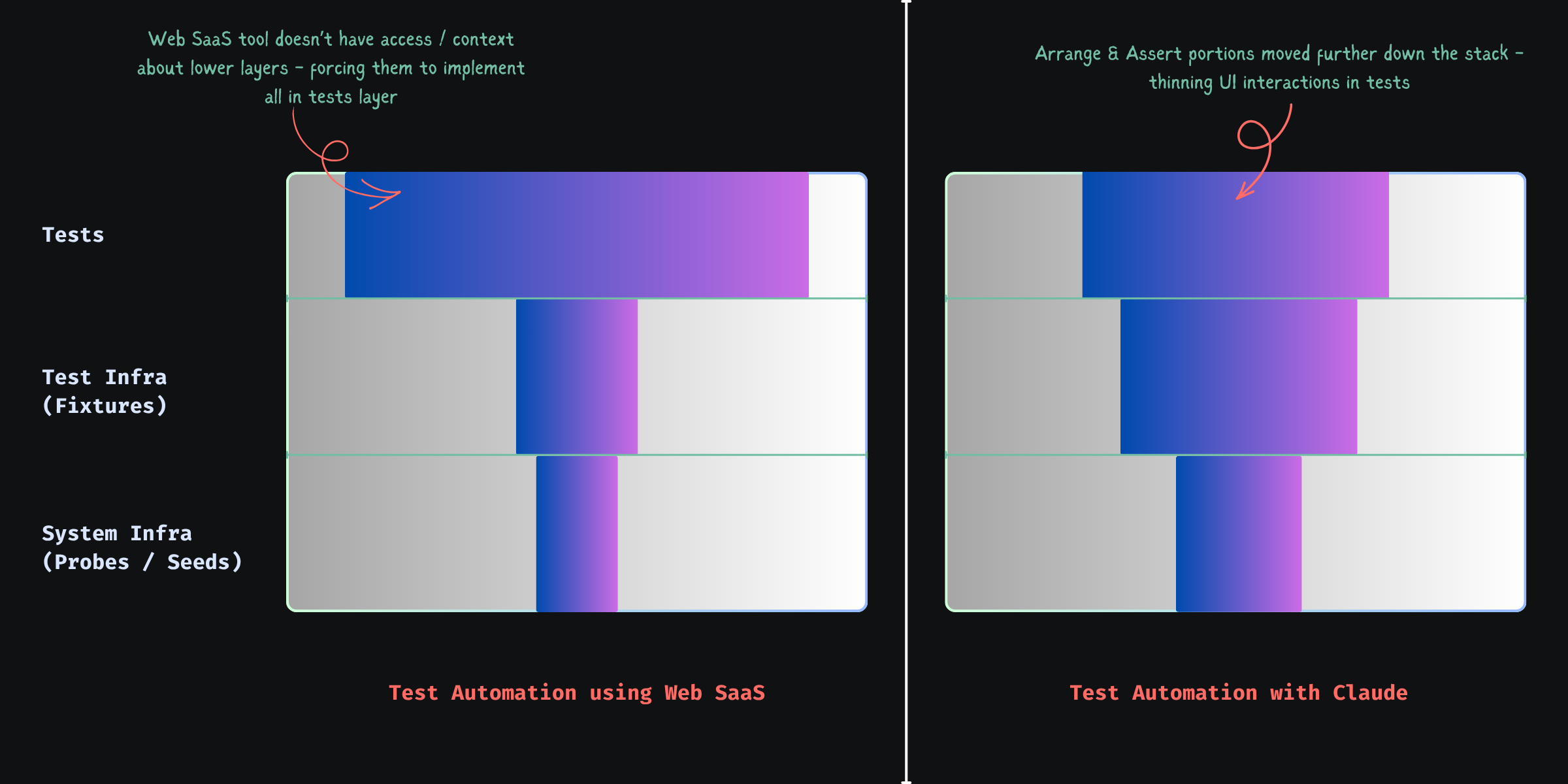
It cuts across system infra, test infra, and the test layer. Treat it as UI-only and you get slow, flaky suites.
A Simple Example: Checkout with an Expired Card
Scenario: checkout with an expired card.
What most UI-driven tests look like
Via UI you often:
- create a new user
- sign up
- verify email
- add a card
- manipulate expiry (if even possible)
- add items to cart
- navigate to checkout
Then:
- click “checkout”
- assert error message
Long, brittle, and mostly setup, not the behavior you care about.
What a Well-Structured Test Looks Like
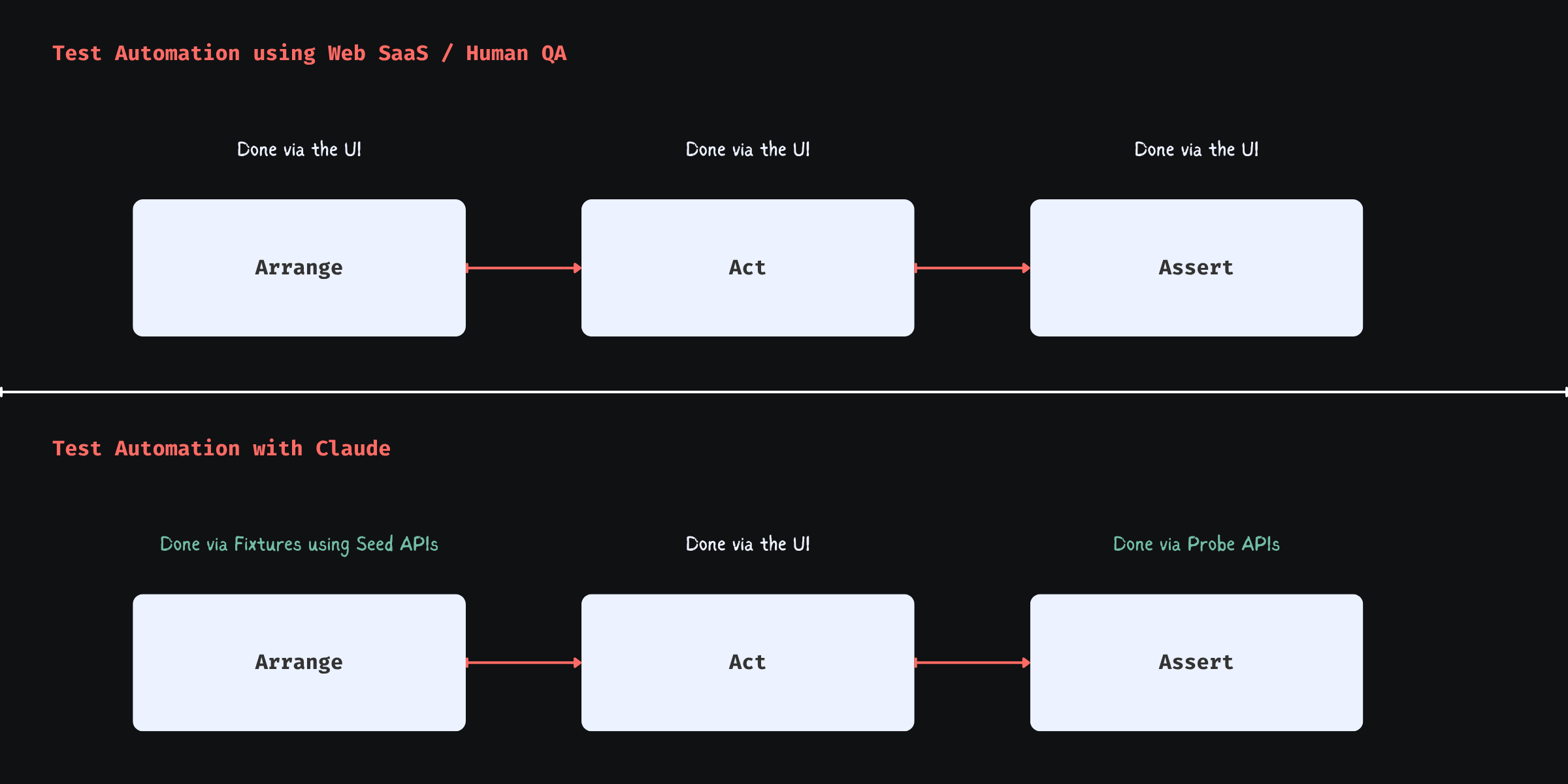
Arrange → Act → Assert, applied properly.
Arrange (system + test infra)
Build state directly instead of simulating it through the product UI.
POST /test/seed/user
{
  plan: "premium",
  paymentMethod: {
    status: "expired"
  }
}
This is a seed endpoint — a test-specific API that creates the exact state you need.
Fixture (test infra abstraction)
Wrap seeds in fixtures so tests stay readable:
const user = await createUserFixture({
  paymentStatus: "expired"
}, testInfo);
Fixtures hide setup details and scope isolation for parallel runs and retries.
Act (test layer)
await page.goto("/checkout");
await checkout(user);
Only the UI you need for the behavior under test.
Assert (UI + system validation)
UI:
await expect(errorBanner).toContain("Payment method expired");
Probe the system too:
GET /test/probe/order-status?userId=...
Validate:
- no order was created
- payment was not processed
UI can lie; backend state usually doesn’t.
Seed & Probe: The System infra for testing
“API testing” is the wrong mental bucket. You want two test-shaped capabilities:
Seed endpoints
- construct state directly
- bypass irrelevant flows
- deterministic
Probe endpoints
- verify backend state
- confirm side effects
- act as your test oracle
Without both: slow (UI-heavy setup) or shallow (UI-only asserts).
Why API Support Alone Doesn’t Solve This
Record-and-play “API steps” in Mabl/Katalon-style tools still hit production-shaped APIs: multi-step flows, side effects, and no way to create impossible-but-needed states (e.g. a coupon that expired yesterday). Chaining those calls simulates state; it does not give you deterministic seed/probe primitives.
The Real Limitation of No-Code Platforms
Platforms like Mabl or Katalon operate outside your system.
They cannot:
- introduce seed endpoints
- define probe endpoints
- evolve system-level test primitives
- share abstractions with backend code
So they are constrained to:
“Whatever the system already exposes”
Which forces:
- UI-driven setup
- or fragile API chains
The model stays step flows, not state definitions—test-layer only, while serious automation cuts through system + test infra + tests.
Fixture Design: Where Reliability Comes From
Fixtures are what make suites parallel, retry-safe, and deterministic.
A bad fixture:
user@example.com
This breaks when:
- tests run in parallel
- retries reuse polluted state
A good fixture uses runtime context:
const uniqueId = `${testInfo.testId}-${testInfo.retry}`;
const email = `user-${uniqueId}@example.com`;
That pattern is the difference between stable and flaky at scale.
Why This Matters More Now
No-code tools optimized for “what can be done from the outside?” because QA rarely owned system changes. Agents in the repo do own them—adding seed/probe routes, fixtures, and tests is now cheap in engineering time, not a special project.
A Better Mental Model
Ask what state, how to build it fastest, how to prove it in the system—not “how do I click through the app to get there.”
seed → fixture → minimal UI → probe
Safety Considerations
Seed and probe routes must be test-only: right environment, authenticated, disabled or guarded in production—by design, not bolted on later.
Caveat: Claude-authored scripts are still selector-bound
Agents excel at emitting Playwright—locators, waits, structure—but that still freezes intent → selector at author time. Shipping UI brings selector drift, variance (themes, experiments, i18n, hydration), and layout noise—the same flake class, just produced faster.
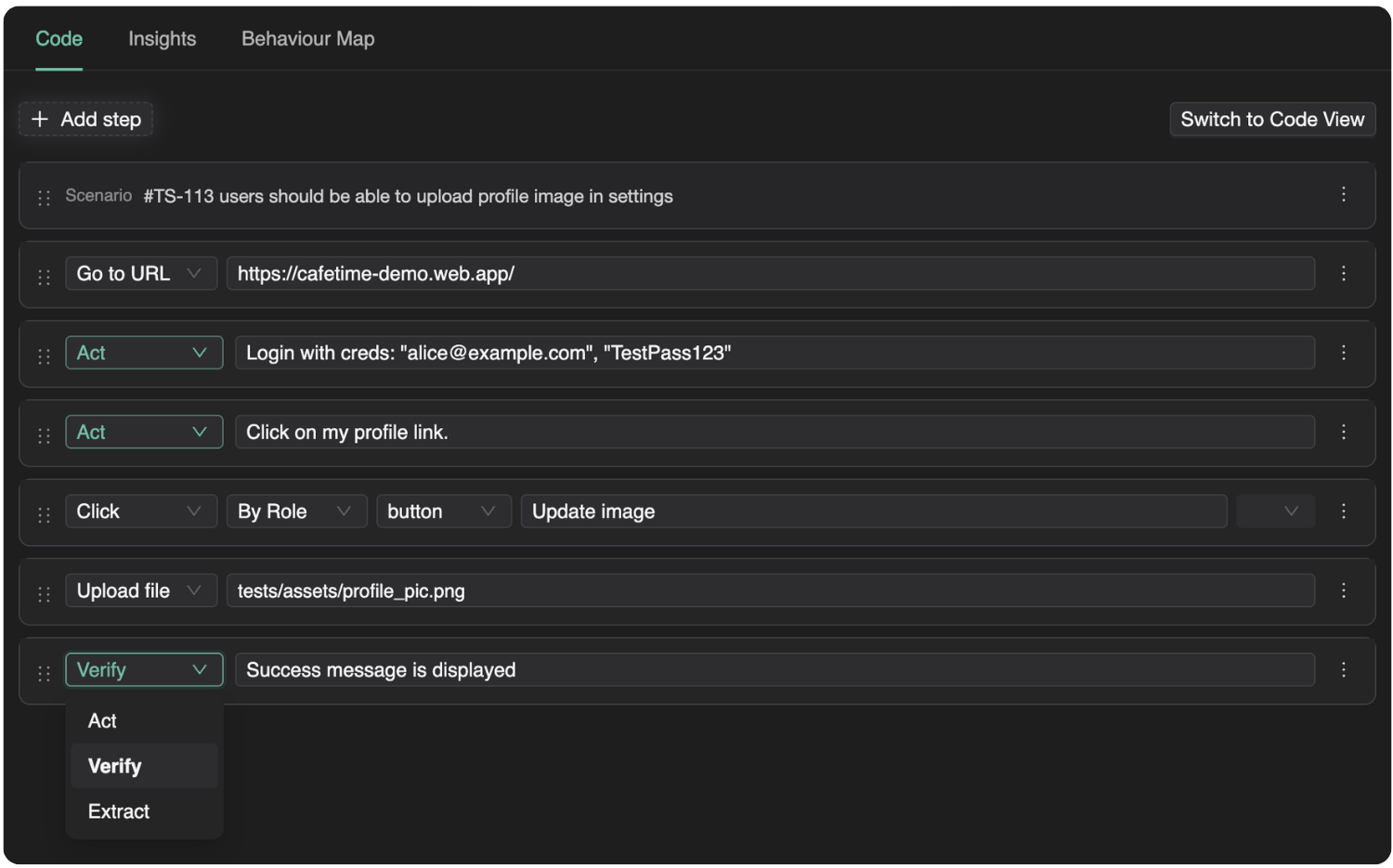
Products like Spur and Momentic often move intent vs live UI to execution time (where “smart” stability lives), but frequently inside proprietary authoring—awkward next to git-native tests.
Split the work: Claude keeps seed → fixture → stable UI → probe explicit; reserve execution-time resolution for the messy spans via optional intelligent steps—not a fully opaque “magic” suite.
TestChimp’s Playwright runtime (@testchimp/playwright / ai-wright, e.g. ai.act, ai.verify) does exactly that: execution-time smarts where selectors fail you, without giving up versioned repo tests—mostly scripts, selectively runtime-resolved UI.
TestChimp: helping Claude write the right tests
The harder problem than syntax is what to test—and whether plan, runs, and production still line up. Without a bridge, they drift.
TestChimp connects planned (stories, scenarios, plans), tested (runs, requirement coverage, artifacts), and production (real usage / TrueCoverage-style signals) realities. We turn that into actionable context for agents—gaps, scenarios to tighten, seeds/probes/fixtures to add—not vanity dashboards.
Claude can write tests really well. TestChimp creates the feedback loop that helps Claude write the right tests.
Code-native authoring plus planned → tested → production gives Claude a tight feedback loop to learn from and optimize over time; optional AI steps (above) handle selector pain where it concentrates.
Final Thought
UI-scripting automation buys slowness, flake, and churn. State orchestration—seed → fixture → minimal UI → probe—buys speed, reliability, and clearer reasoning. E2E can approach lower-layer discipline when the stack cooperates; tools that never touch system + test infra will not get you there by themselves.