Put QA on Auto-Pilot with Workflow Automations

TL;DR: We've shipped Automations in TestChimp—event-driven runs of the same catalog workflows you already invoke with /testchimp. When an issue is created, a story moves to ready, a CI batch fails, or a release lifecycle status changes, TestChimp can hand the work to a cloud agent—today via ChimpHands (recommended), a labelled GitHub Issue, or a webhook. Aggregation collapses noisy bursts; optional human gates keep high-blast-radius runs under review. Local agents stay for interactive work. Automations cover the complementary case: the platform watches, then starts the agent for you.
The prompt-pasting tax
If you've been living in the agentic QA loop, you already know the playbooks:
/testchimp fix issue BUG-1042
/testchimp implement US-181
/testchimp fix test execution …
/testchimp run QA
That works. It also creates a new bottleneck: someone has to notice the event and paste the prompt.
| Failure mode | What actually happens |
|---|---|
| Latency | High-severity bug sits until a human opens the IDE |
| Inconsistency | Different people phrase the same job differently |
| Missed signals | Failed CI batch, ready story, release → Ready—none of them auto-start work |
| No audit trail | Chat history ≠ a tracked workflow execution with status and policy version |
| Noisy bursts | Ten related failures → ten agent sessions unless someone batches by hand |
Agents compressed execution. They did not invent routing. Automations are that routing layer—on the same workflows, policies, and workflow-execution-id traceability you already use.
Full product docs: Automations.
What is a TestChimp automation?
An automation is three parts:
Trigger + Action + Config
| Part | Answers | Examples |
|---|---|---|
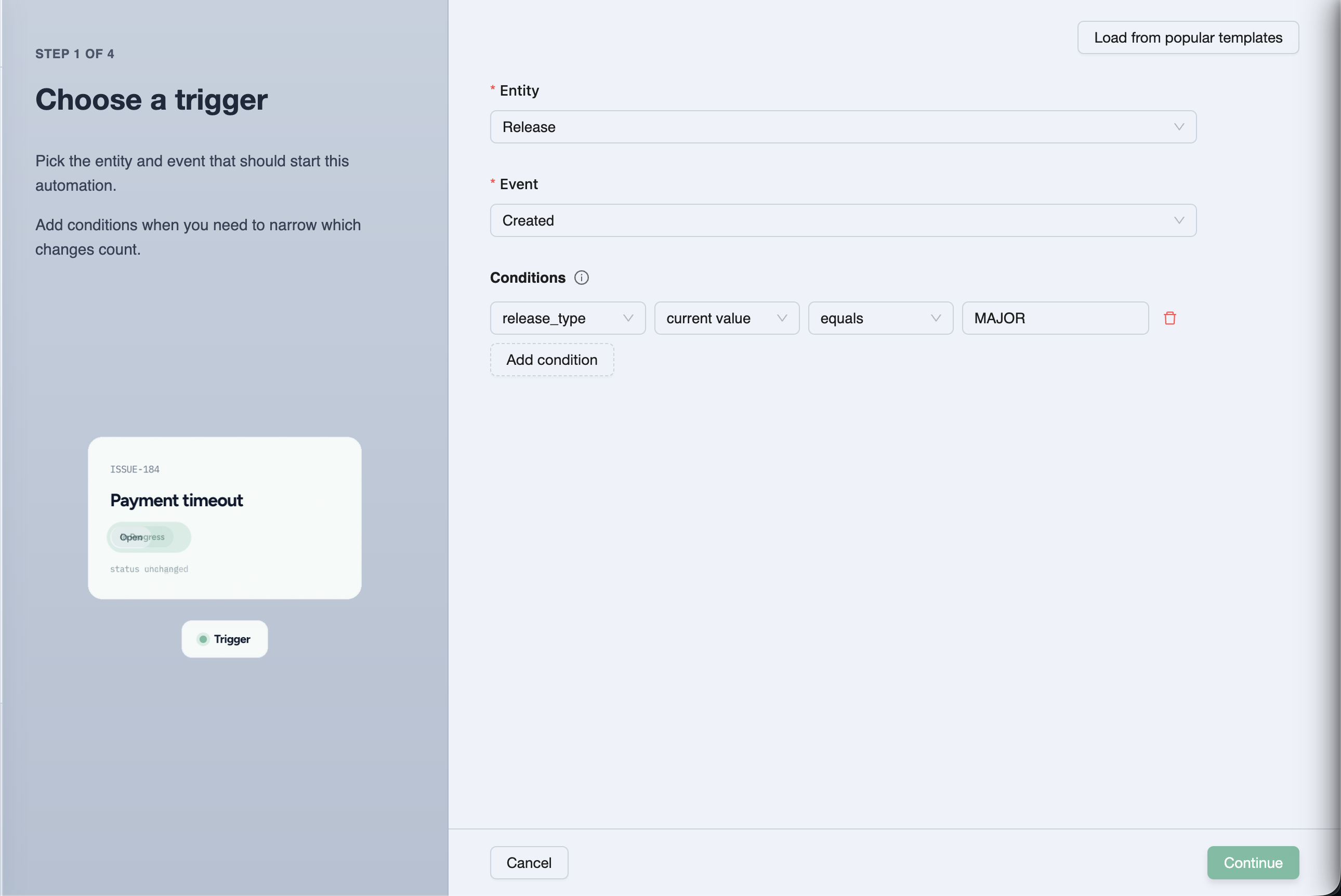
| Trigger | When? | Entity (issue, story, scenario, test execution, batch, release) + event + optional AND conditions |
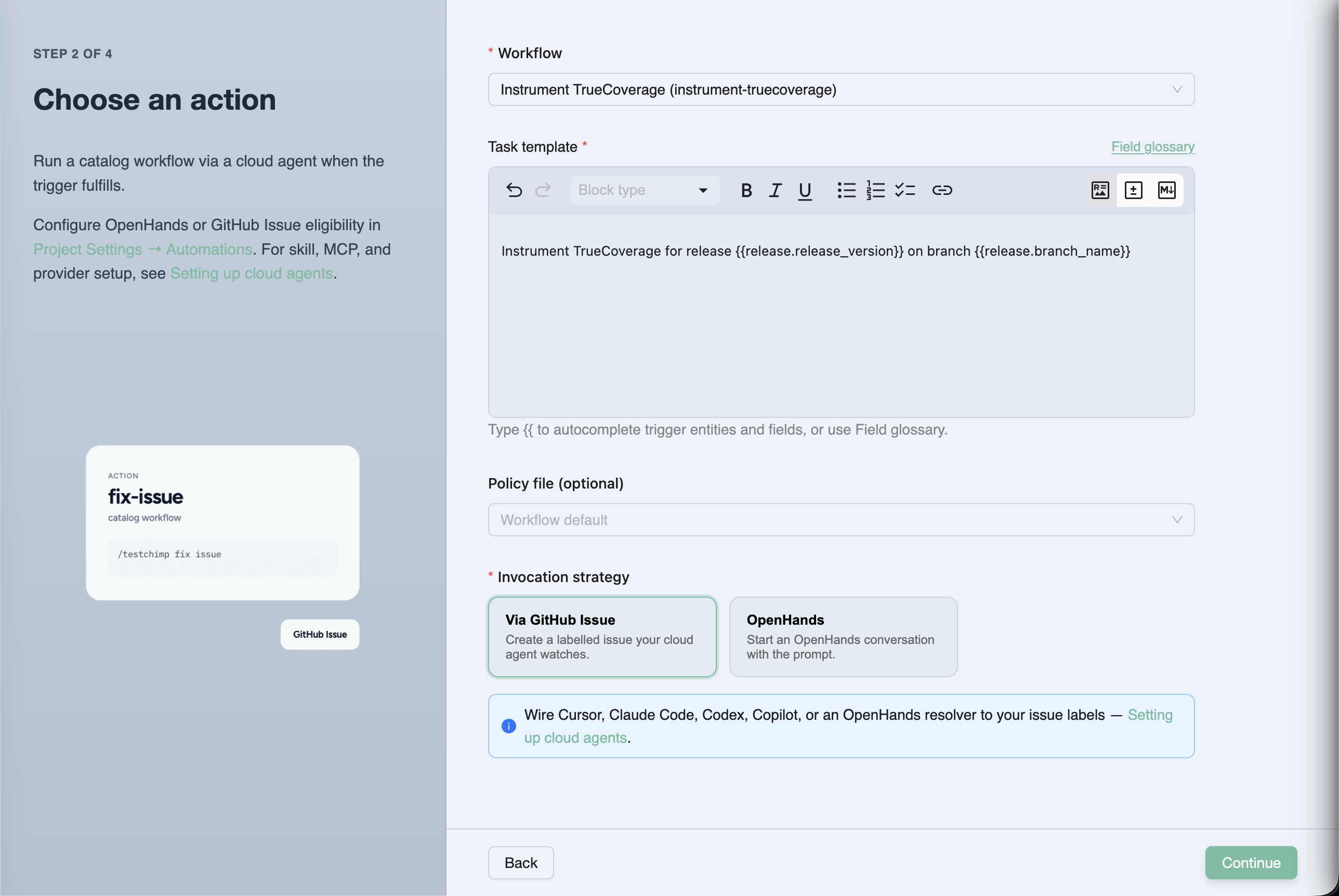
| Action | What? | Execute a catalog workflow with a task template, optional policy, and invocation strategy |
| Config | How loudly / how carefully? | Aggregation (Immediate / Buffered / Windowed) + optional human approval before invoke and/or before plan execute |
Policies stay *.policy.md in Git. Automations optionally attach them—the same files local /testchimp runs use. Workflows still define how the agent works. Automations define when that work starts and how the cloud agent is reached.
Project event  →  matching automation  →  aggregation window
                                              ↓
                                    workflow execution queued
                                              ↓
                         (optional) human approve invoke / plan
                                              ↓
                    ChimpHands on CI  or  labelled GitHub Issue  or  webhook
                                              ↓
                         /testchimp <workflow> … --workflow-execution-id …
Ways to reach a cloud agent
Configure once under Project Settings → Automations (and ChimpHands setup for the native path), then pick a strategy per automation.
ChimpHands (recommended)
TestChimp dispatches your repo's chimphands.yml GitHub Actions workflow with the rendered /testchimp … prompt. The agent runs on your CI with full checkout context, streams progress to the ChimpHands UI, and opens a PR when done.
One-click setup: GitHub App + workflow file + TESTCHIMP_API_KEY secret. See ChimpHands and Meet ChimpHands.
Via GitHub Issue (bring-your-own agent)
TestChimp opens an issue on your mapped repo. Body = the full /testchimp … prompt (plus the workflow execution id). Labels always include testchimp, plus any extras you configure.
Point Copilot coding agent, Codex, Cursor Cloud, or your own runner at those labels. The agent checks out the repo, runs the prompt with the TestChimp skill + MCP, and reports back—so Executions → Workflow Executions stays current.
| ChimpHands | Via GitHub Issue | |
|---|---|---|
| Who starts the agent | TestChimp (GitHub Actions dispatch) | Your label-watching agent |
| Needs | GitHub App + ChimpHands workflow + API key secret | TestChimp GitHub App + repo + BYO agent wiring |
| Continuation (plan → execute) | Same session / re-dispatch | Comment on the same issue |
| Fit | Default QA orchestration on your CI | Custom agent stacks you already operate |
Deep dive: Cloud agents for automations.
Aggregation and human gates (because autonomy without brakes is chaos)
Matching events should not always mean "spawn an agent immediately."
| Policy | Behaviour |
|---|---|
| Immediate | Every match fulfills (still subject to the project hourly cap) |
| Buffered (default) | Wait for a quiet period (≥ 5 minutes), bounded by max window / max event count |
| Windowed | Fulfill on fixed hour boundaries—digest style |
Default rate limit: 5 cloud agent invocations per hour per project (shared). Over-cap runs stay Queued—not dropped.
Two independent human gates (off by default):
- Approve before invoke — review the rendered task before the cloud agent starts
- Approve before plan execute — agent plans first; you approve before execute
Pending work surfaces in Executions → Workflow Executions. You can also copy the prompt and run it locally—the workflow-execution-id keeps the timeline accurate either way.
Mechanics: How automations work.
Recipes teams actually want
| Signal | Workflow | Notes |
|---|---|---|
| High-severity issue created (not ExploreChimp noise) | fix-issue | Immediate or short buffer; start with invoke approval |
| Story / scenario → ready | implement | Buffered; prefer plan-execute approval |
| Automation batch status → failed | fix-test-execution / upkeep | Buffered so one CI push → one agent run |
| Release → Ready | run-qa / run-release-check | Immediate; gate the composite |
| Steady drip of ready work | upkeep | Windowed hourly/daily digest |
Task templates use {{issue.id}}, {{story.title}}, {{batch.failed_count}}, {{project.repo_url}}, and friends—with autocomplete in the wizard.
More starters: Typical automation setups.
Why this matters in the agentic era
We already argued that skills are SaaS distribution—the playbook travels with the agent. We argued that requirements must be governed before agents spend tokens. We argued that release governance is the ship decision, not a spreadsheet.
Automations close another gap: intent without attendance.
Without them, QA-on-autopilot still needs a human dispatcher. With them, the same /testchimp catalog becomes a control plane: events in → policy-backed workflow executions out → auditable status in the product. Local Claude / Cursor for interactive loops. ChimpHands and other cloud agents for the overnight and the "while you were in standup" cases.
That is how you boil the lake without standing next to the kettle (boiling the QA lake).
Frequently asked questions
What are TestChimp Automations?
Automations are event-driven rules that run TestChimp catalog workflows via a cloud agent when something changes in your project—issues, stories, scenarios, test executions, CI batches, or releases—optionally aggregated and gated by human approval.
How do Automations differ from Workflows?
Workflows define how an agent should work (skill playbook + optional policy). Automations define when that work starts and which cloud invocation path to use. Both share the same execution timeline and workflow-execution-id reporting.
ChimpHands vs GitHub Issue—which should I pick?
Use ChimpHands for the default path—native sessions on your GitHub Actions runner, platform chat, and QA-metered credits. Use GitHub Issue when you must keep an external label-watching agent (Copilot, Codex, custom bots) and already have the TestChimp GitHub App.
Will Automations spam my agents on every CI flake?
Not if you configure them well. Prefer Buffered aggregation for batches, exclude ExploreChimp reporters on auto-fix rules, use conditions (status = BATCH_INVOCATION_FAILED, severity = HIGH), and keep the project hourly invocation cap. High-risk workflows should start with human gates on.
Can I still run workflows locally?
Yes. Automations don't replace /testchimp in your IDE. From a pending execution you can also copy the prompt—including the workflow execution id—and run it with a local agent so status still updates in TestChimp.
Where do I create and monitor Automations?
Create under Workflows → Automations (or contextual Automations CTAs on Issues, Plans, batches, releases, and workflow pages). Configure strategies and rate limits in Project Settings → Automations. Monitor and approve under Executions → Workflow Executions.
Try it
- Connect GitHub and set up ChimpHands (or configure GitHub Issue / webhook under Project Settings → Automations)
- Open Workflows → Automations → Create Automation
- Pick a trigger (start from a popular condition template)
- Choose a workflow, task template, policy, and invocation strategy
- Leave Buffered aggregation on; add invoke or plan-execute approval for risky jobs
- Trigger a matching event—then watch Workflow Executions
Start here:
- Automations overview
- ChimpHands
- Create an automation
- Cloud agents
- Typical setups
- Workflows
- TestChimp skill
When something changes, the agent should already be working—not waiting for you to paste a prompt.
Further reading
TestChimp
- Automations
- ChimpHands
- How automations work
- Cloud agents
- GitHub integration
- Fix issue
- Implement Requirement
Related posts
- Meet ChimpHands
- SKILLs as SaaS distribution
- Requirement quality governance
- Release governance
- Boiling the QA lake
- Test planning as code
Concepts