SmartTests → Insights tab
In brief: SmartTests Insights summarizes automation health for selected tests—CI pass rates, scenario links, exploration bugs on those journeys, and recency of runs.
On the SmartTests page, the Insights tab shows QA intelligence for the selected folder or test file. All data uses the current Execution scope (environment + release + time range).
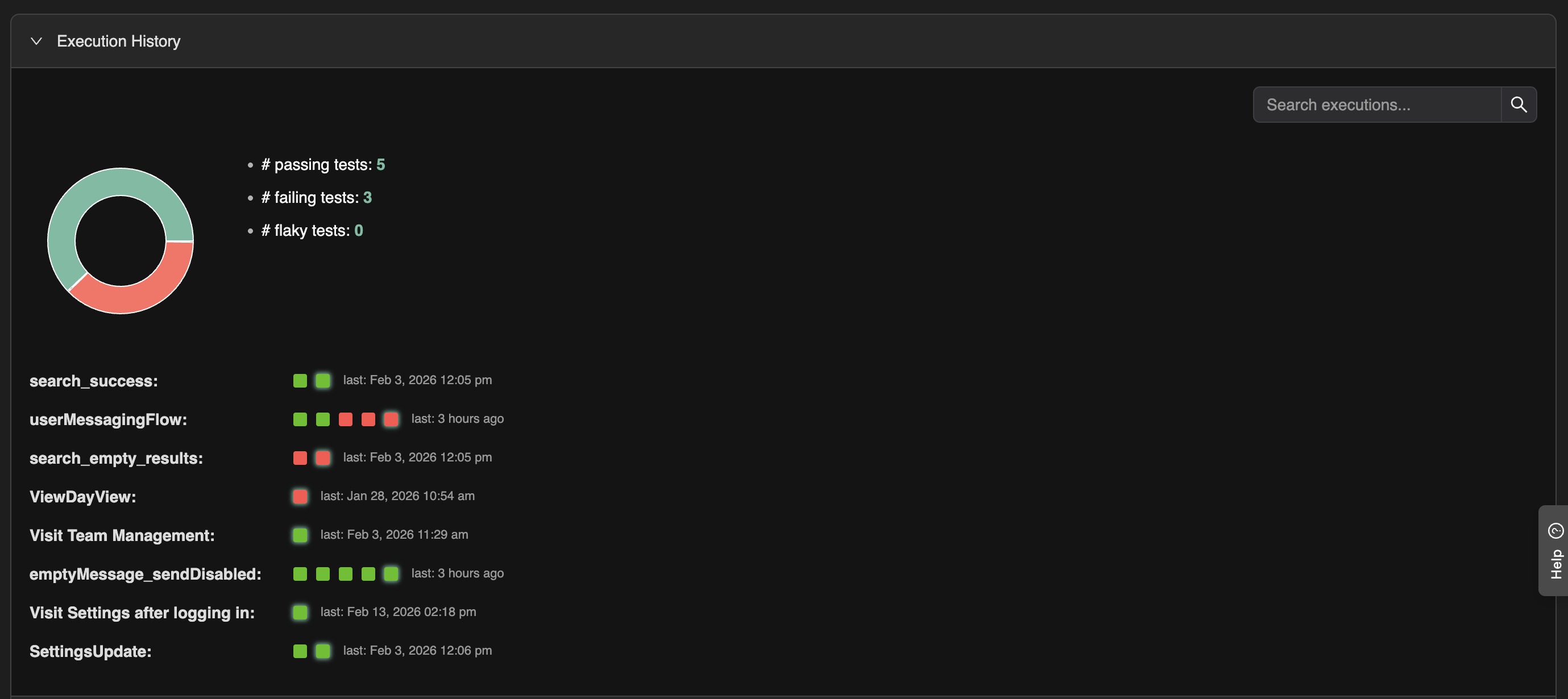
Execution history and summary
Execution history shows when tests in the selected scope were run and the outcome of each run. A pass/fail summary (e.g. pie chart) gives a quick view of stability and success rate for that scope.
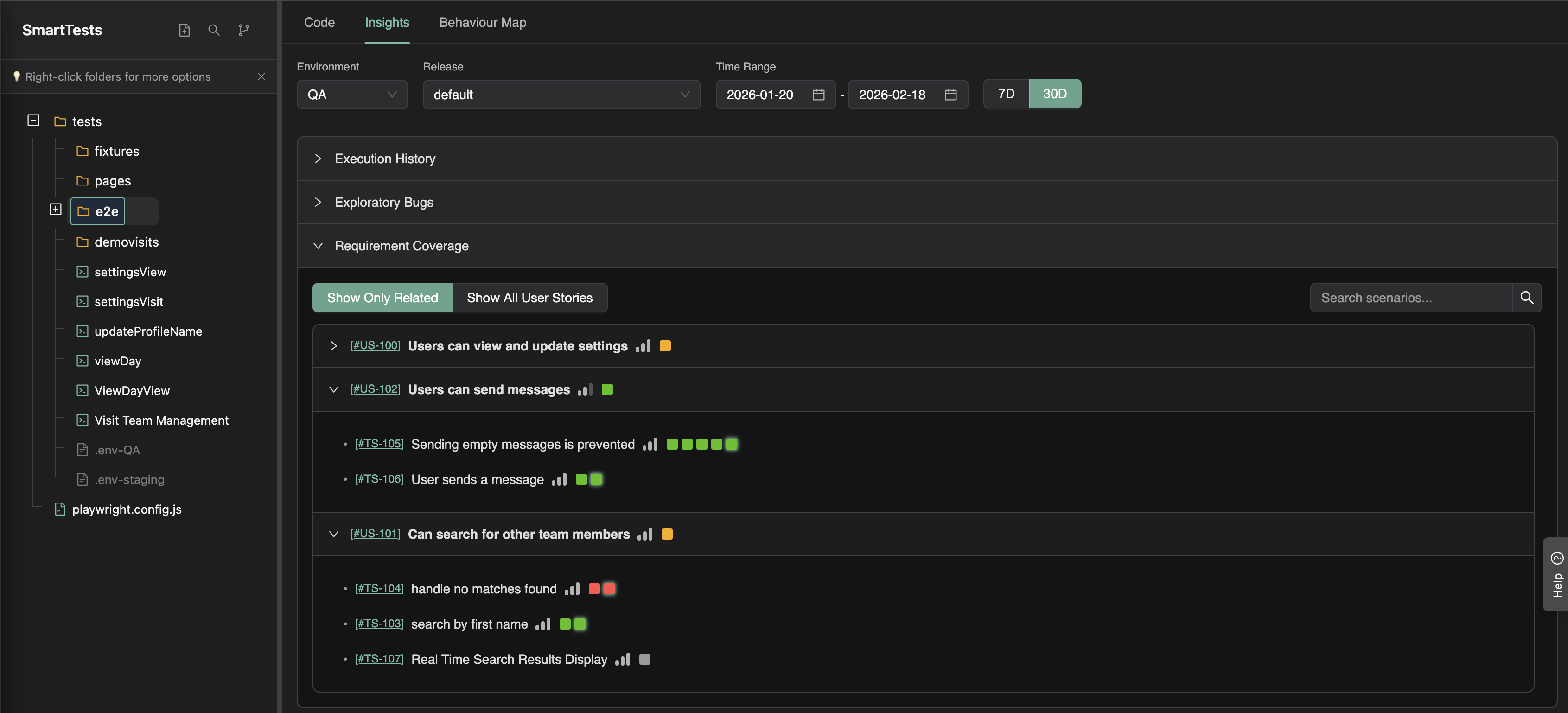
Plan coverage
Plan coverage shows how well the related user stories are covered by the tests in the selected scope—and where the gaps are. You can see which scenarios or stories have no (or weak) test coverage so you can prioritize new tests.
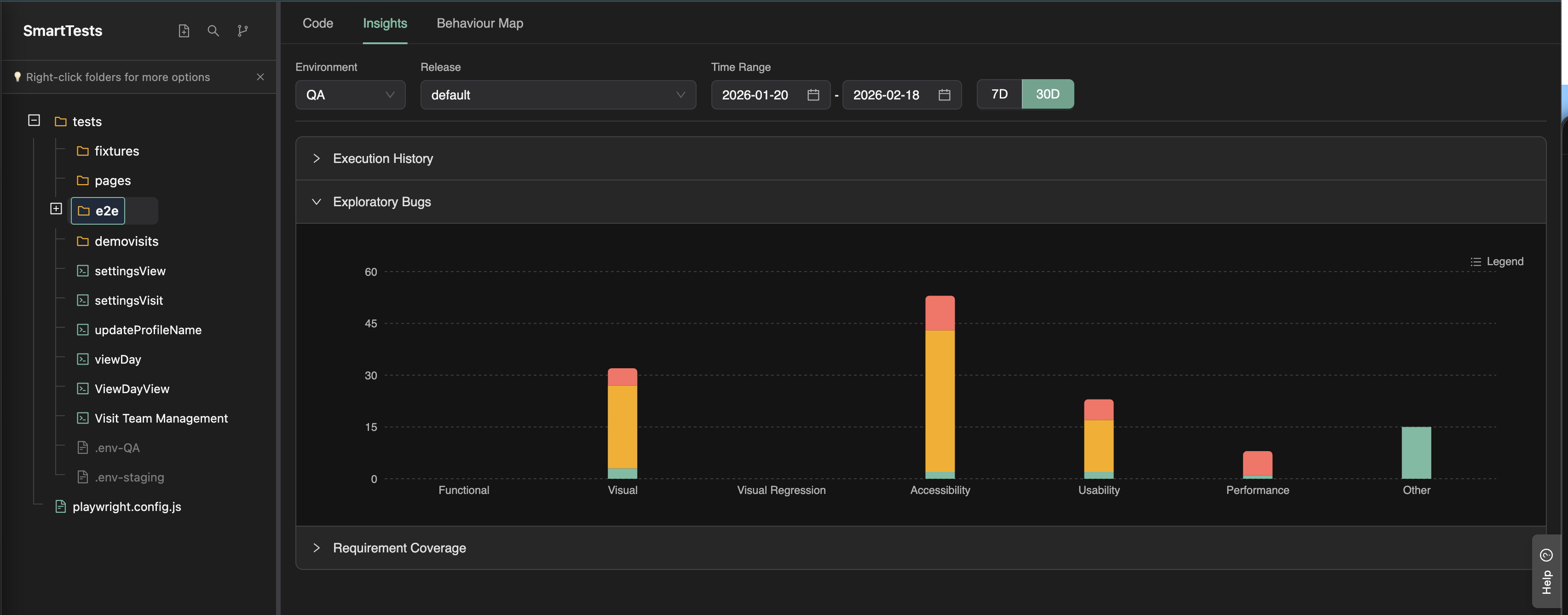
Exploratory bug findings summary
The Insights tab also shows a summary of exploratory bug findings from agentic walks that used tests within the selected scope. This ties exploratory discovery directly to the same tests and folders you're viewing.
Use this tab to answer: How are these tests running, how well do they cover the plan, and what have explorations found around them?
Branch-specific insights
When a branch is selected in the SmartTests area (e.g. a feature branch), the Insights tab is scoped to that branch. All metrics and charts are based on test executions and exploratory runs that were performed in that branch context (e.g. against the branch’s PR preview URL).
This lets you answer branch-level questions such as:
- Which user stories are failing in this branch? — See scenario and story-level pass/fail for executions in this branch.
- Which unrelated scenarios are affected by the code changes? — Compare coverage and failures to the default branch or to previous runs.
- How is coverage and stability for this branch? — Plan coverage, execution history, and exploratory bug summaries are all computed from branch-scoped data.
Use the branch selector together with the Insights tab to focus QA intelligence on a specific feature branch before it is merged. For configuring branch-specific deployment URLs, see Branch Specific Test Execution.
FAQ
Where does execution data come from?
CI runs via @testchimp/playwright and on-platform test executions tagged with environment and release.
Can I see unlinked tests?
Yes—tests without scenario annotations surface as traceability debt in insights and audit.
How do exploration bugs appear here?
Bugs found on journeys using those SmartTests roll up in the folder/file exploration summary.