Test Planning → Insights tab
In brief: Test Planning Insights shows which scenarios in a plan folder are linked to passing SmartTests, failing runs, or open exploration bugs—without manual matrices.
On the Test Planning page, the Insights tab shows QA intelligence for the selected folder or file in the test-plan tree. All data uses the current Execution scope (environment + release + time range).
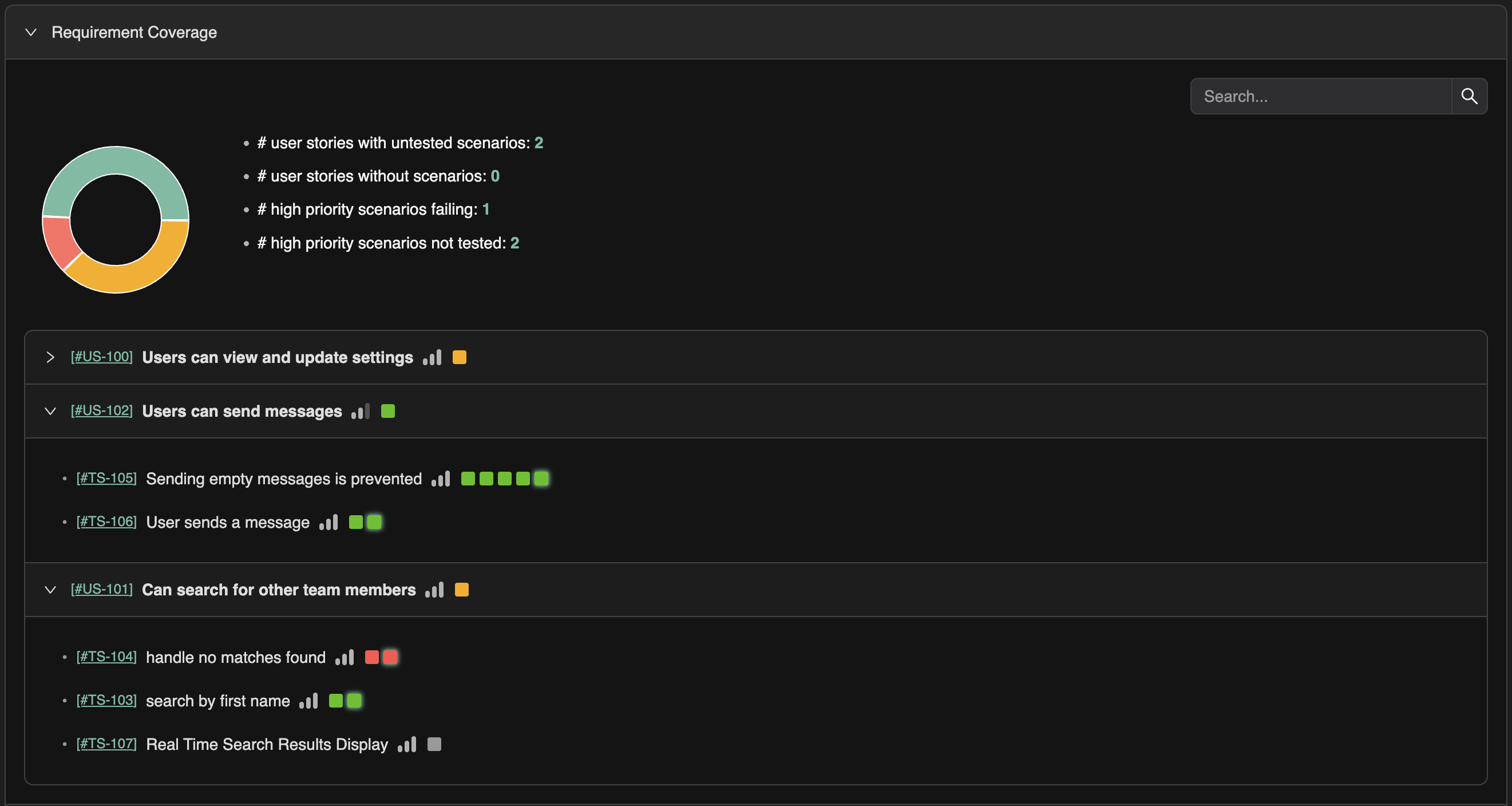
Functional testing coverage
Functional testing coverage is rolled up to user stories and folder levels. You can see:
- Which user stories have linked tests and scenarios.
- Coverage at folder level (e.g. epic or feature).
- Gaps: stories or areas with little or no test coverage.
Exploratory findings summary
The Insights tab also shows a summary of exploratory findings that relate to the selected scope—bugs and issues found by exploratory runs (agentic walks) that are relevant to the same stories or areas. This helps you see both automated coverage and exploratory discovery for the same scope.
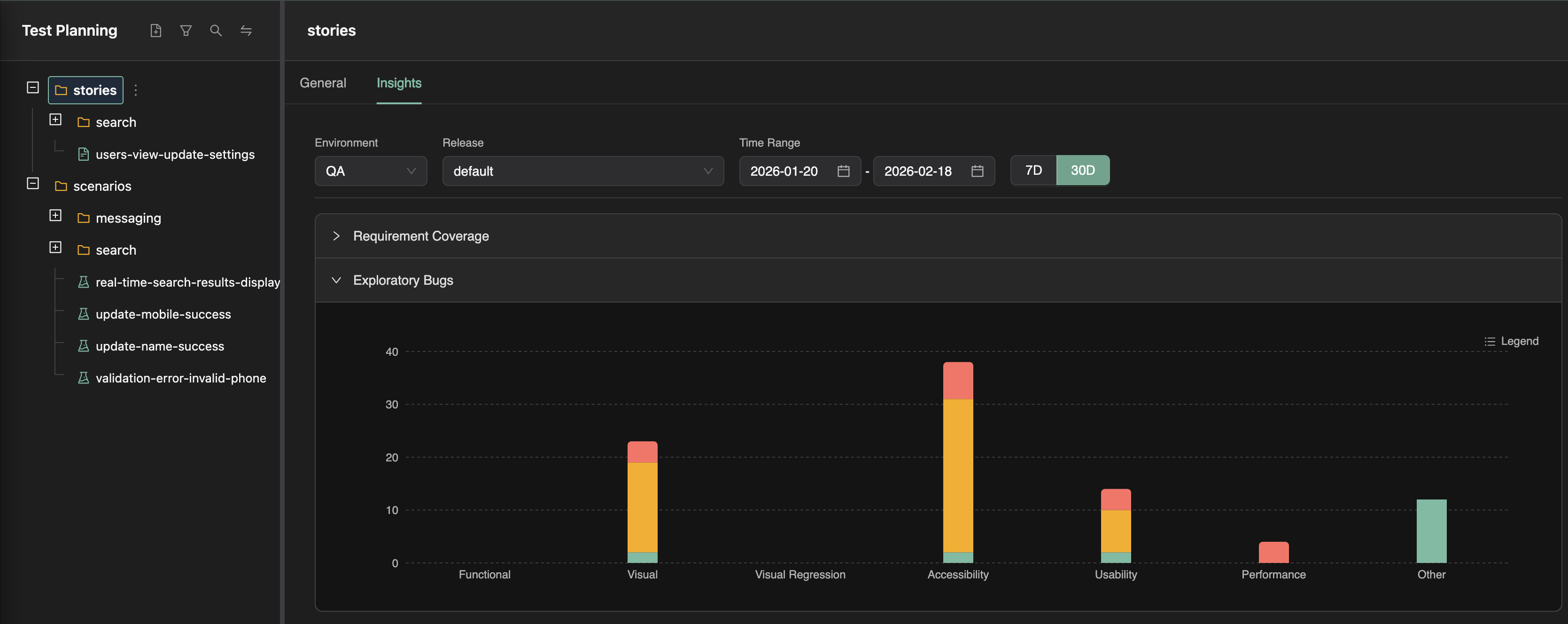
Use this tab to answer: How well is this part of the plan covered by tests, and what have explorations found here?
Branch-scoped insights
You can optionally select a branch when viewing the Test Planning Insights tab. When a branch is selected, insights are scoped to the executions and explorations run in that branch. Functional coverage, exploratory findings summaries, and gaps are then based only on runs that targeted that branch (e.g. branch-specific test runs and branch-specific exploratory runs).
This helps you answer: How well is this part of the plan covered and explored on this branch? — so you can see coverage and findings for a feature branch before merge. If no branch is selected, insights use the default execution scope (environment, release, time range) without branch filtering.
FAQ
What shows as covered?
Scenarios referenced by scenario annotations in SmartTests with recent executions in your selected scope.
Do manual test runs count?
Yes—recorded test runs against scenarios appear alongside CI SmartTest executions.
How do agents use this?
/testchimp test prioritizes unlinked or failing scenarios in the PR-related plan folders.