Secrets Scan
Short answer
The Secrets release check runs Gitleaks on git history for your release. Default scope is release changes since a baseline commit; you can also scan all repository secrets. Secret values are redacted on ingest. Findings appear on Release Checks with a report and issues.
Why run a secrets scan on a release
Accidental API keys, tokens, and passwords in commits are a common pre-prod failure mode. Scanning the release range answers: did this candidate introduce new leaks? A full-history pass is useful when establishing a baseline or cleaning an inherited repo. Keeping the check on the release page puts credential risk next to other ship gates.
How it works
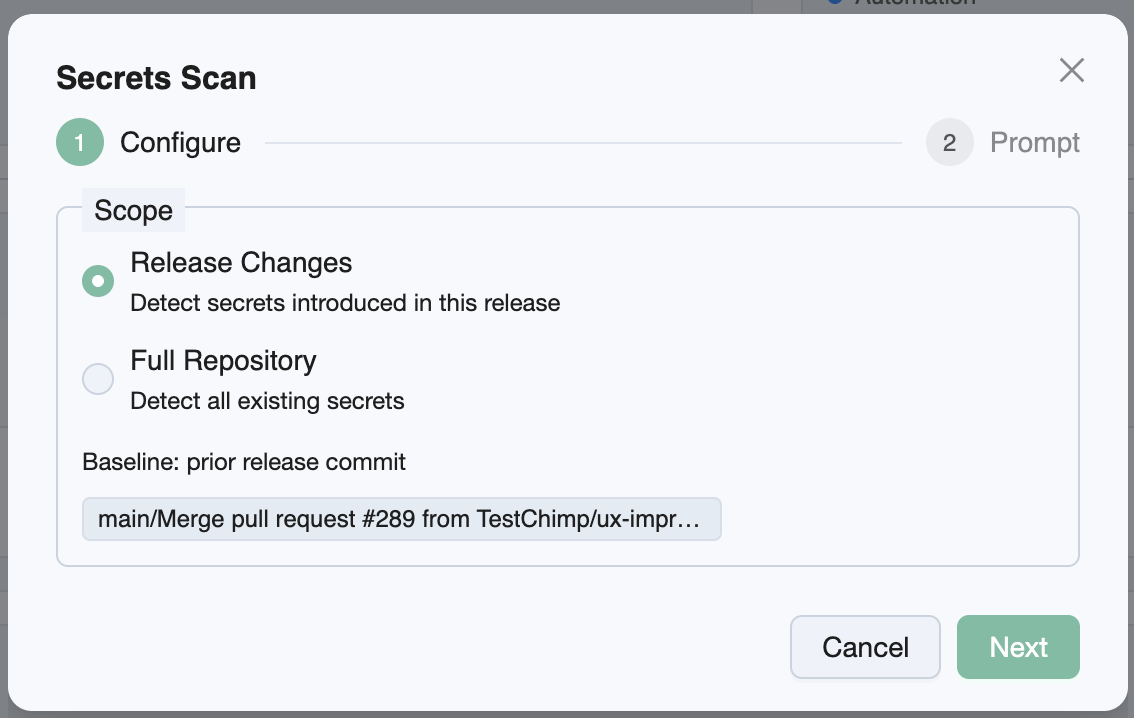
- Release Checks → Run Release Check… → Secrets Scan → choose scope (and baseline when required).
- Agent runs
gitleaks git(release range via--log-opts '<baseline>..HEAD', or full history), writes JSON, and uploads withreport-secrets-findings. - TestChimp redacts
Secret/Matchfields before storage. Empty findings are valid—scan still Completed.
Configuration knobs
| Knob | Options | Default | Notes |
|---|---|---|---|
| Scope | Release changes · All repository secrets | Release changes | Release changes needs a baseline |
| Baseline commit | Prior release SHA or picker | Prior release when available | Required for release changes |
Scope explained
| Scope | Gitleaks behavior |
|---|---|
| Release changes | Commits since baseline (baseline..HEAD)—secrets introduced in the ship range |
| All repository secrets | Full git history scan—broader, slower |
If the prior release has no linked SHA, pick a baseline in the wizard before submitting a release-scoped scan.
Report and bugs
The report lists findings (rule id, path, line) with secret material redacted. View Bugs opens Issues for the scan. Gitleaks exit code 1 when leaks are found is still a successful check from the agent’s perspective—report and complete.
Prerequisites
- Sufficient git history for the baseline commit
- Gitleaks on the agent machine
- TestChimp skill/CLI with secrets report helpers
Related documentation
- Release Checks overview
- DAST · SAST · Dependency scan · UX Checks
- How issues get created
- Release management
Frequently asked questions
What is the secrets release check in TestChimp?
It runs Gitleaks from the release detail page to detect leaked credentials in git. You can scan only commits since a baseline (release changes) or all repository history. Findings are stored redacted and can become bugs scoped to the scan.
Does TestChimp store the actual secret values?
No. On ingest, Secret and Match fields from Gitleaks JSON are redacted before storage. The report still shows rule, path, and line so you can remediate without exposing credentials in the product.
What is the difference between release changes and all repository secrets?
Release changes scans commits from the baseline to HEAD—secrets introduced in this ship candidate. All repository secrets scans full git history for a broader inventory or cleanup.
Do I need a baseline commit for secrets scanning?
Yes when scope is release changes. TestChimp uses the prior release SHA when available, or you pick a commit in the wizard. All-repository scope does not need a baseline.
Is an empty secrets report a failure?
No. Zero findings is a valid completed scan. Gitleaks exit code 1 when leaks exist is still treated as a successful report upload for the release check.
How do I run a secrets scan from a release?
Open Release Checks, choose Secrets Scan, set scope and baseline if needed, then paste /testchimp run security scan for scan_id into your agent. Open Report or View Bugs when Completed.
Stop shipping accidental credentials
Queue a Gitleaks secrets check on the release, run it with your agent, and triage redacted findings beside your other ship gates.