Special Purpose Testing Agents

If you’re already familiar with ExploreChimp, you know it’s like having a driver navigate your web app for you. Guided by SmartTests, ExploreChimp scans the DOM, screenshots, network calls, and browser metrics to spot bugs that traditional automation scripts can't see.
While ExploreChimp gives you broad coverage, some problems only show up when you deliberately push specific edges.
That’s why we’re launching our "Troop of Special Purpose Testing Agents".
They’re all guided by the same SmartTests, but each agent is purpose-built to tackle a specific class of bugs.
Here is the starting line up that we are launching today:
Form Validation Tester: Meet “Deadpool”
Writing negative test cases for forms is soul-crushing work. You have to think of every wrong input a user could throw at your app, then write tests to catch it.
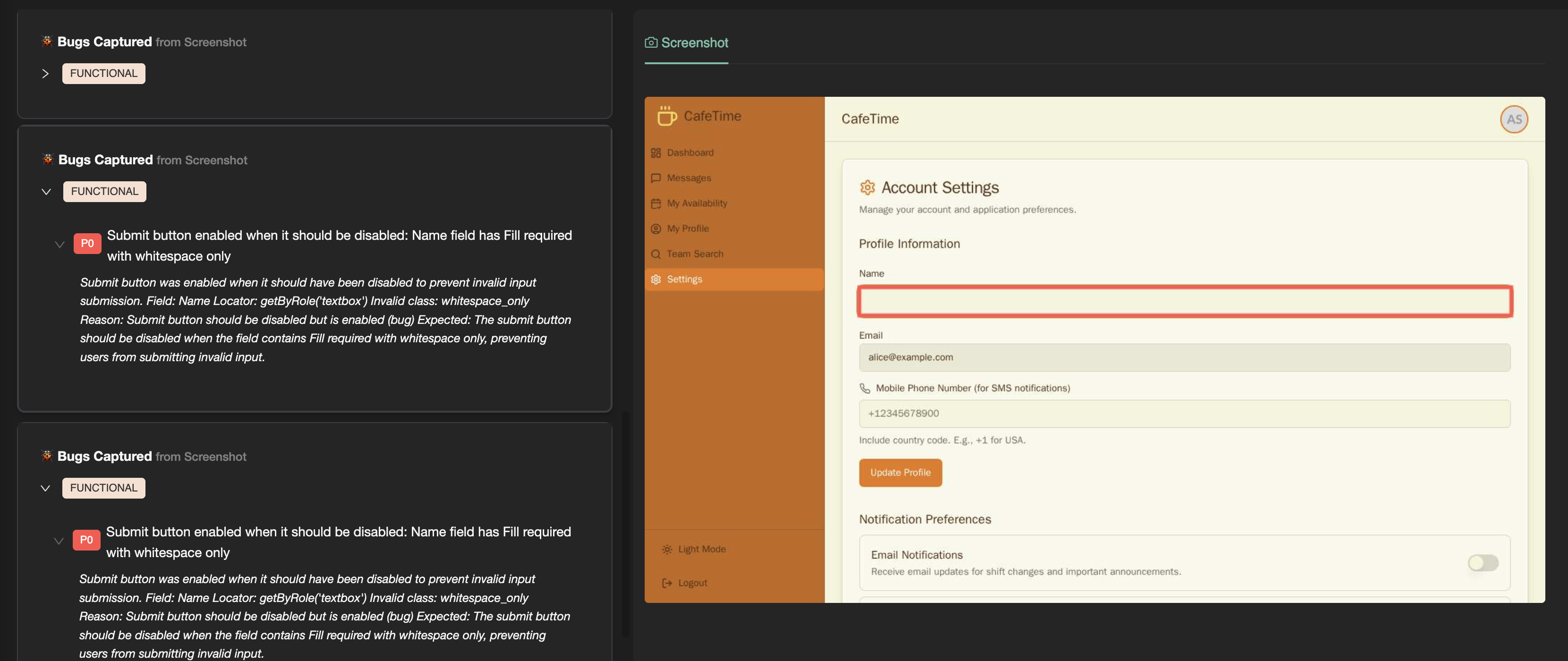
Our Form Validation Tester, affectionately nicknamed Deadpool, does all the heavy lifting for you. You only need to define the “Happy Path” - the correct way to fill a form. From there, Deadpool goes rogue:
- Past and future dates
- Negative numbers
- Random strings
- Whitespace-only inputs
- Invalid data formats, like numbers in text fields
It pushes your forms to the limits to ensure your validation logic holds up - all without writing a single line of negative test code.
Theme Tester: Spot Invisible Problems
Themes are more than just aesthetic. Switching between dark mode, high contrast, or custom color palettes can break visual harmony that users expect to "just work".
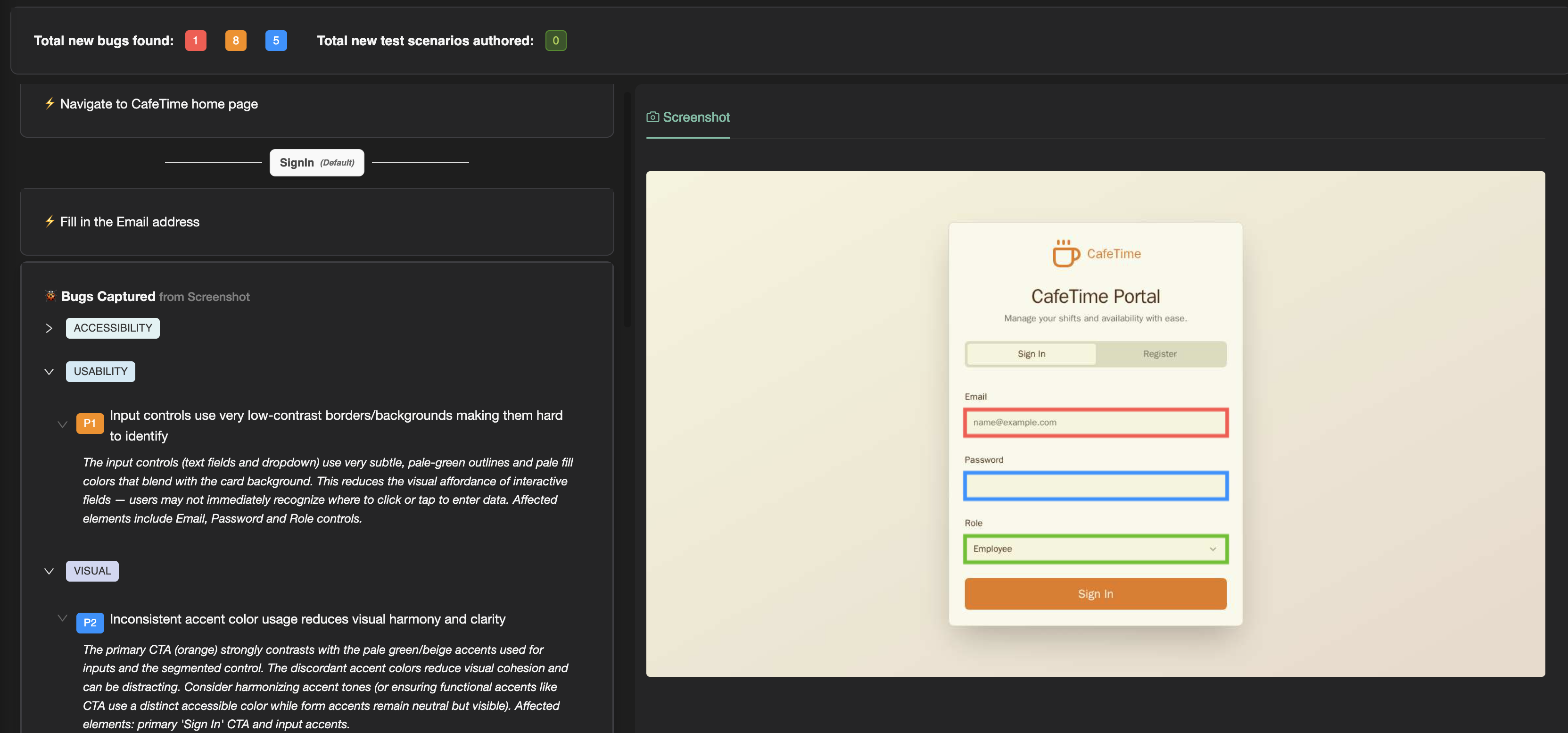
The Theme Tester loops through all the themes your app supports, hunting for:
- Contrast issues
- Text visibility problems
- Ugly color combinations
It can toggle themes via cookies, local storage, or by interacting with your app’s UI - whatever works best for your setup.
Localization Tester: No More "Lost in Translation"
Supporting multiple locales introduces a whole new set of bugs. Dates, currencies, text overflow, RTL layouts, and even cultural appropriateness can break your user experience.
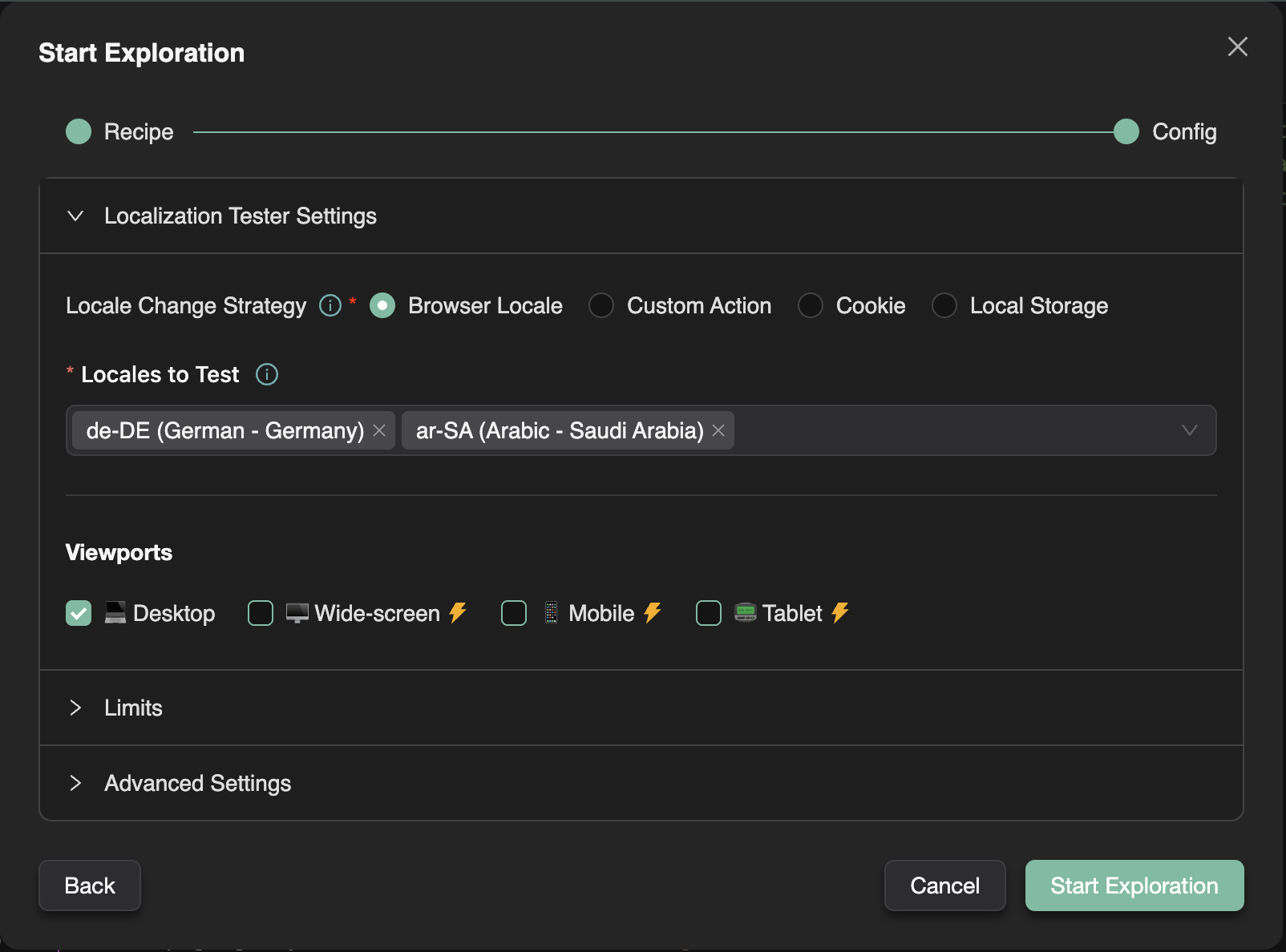
Our Localization Tester handles it all:
- Detects broken translations or dangling template strings
- Checks date and currency formatting across locales
- Verifies layout integrity in RTL languages
- Flags potential cultural missteps
With this agent on your team, you can support global audiences with confidence.
Screen Discovery Agent: Building Your App’s GPS
No test scripts yet? No problem.
The Screen Discovery Agent methodically crawls your app, visiting key screens. It automatically generates your initial SmartTest suite, so the rest of the troop can get to work.
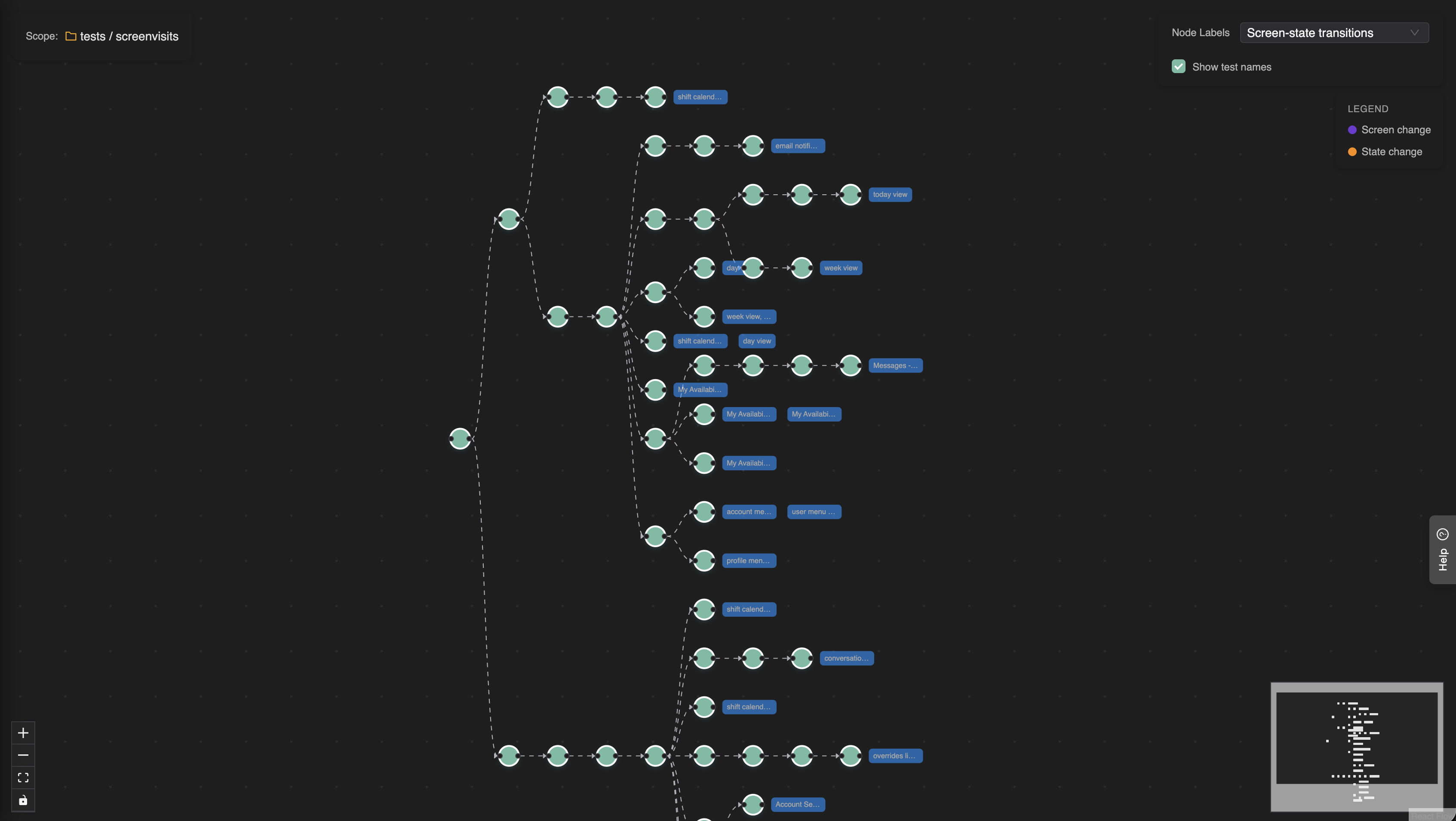
Note: You can easily add more user journeys with our Chrome Extension.
More Agents Coming Soon
This is just the beginning. We’re already working on more powerful agents, including: • RBAC Tester – to verify role-based authorizations work as intended • Network Resilience Checker – to see how your app behaves when connectivity gets fuzzy, backend breaks...
And we’re always looking for more ideas. If you’ve got a pain point in testing, we want to hear about it!
Ready to Try the Troop?
Stop stressing over the worst parts of testing. Let our agents handle the tedious tasks so you can focus on what really matters: building amazing experiences.
-
Try the Troop today: https://testchimp.io
-
Read the docs: https://docs.testchimp.io/explorations/intro