Test Planning as Code: Your Test Artifacts, Version-Controlled and Agent-Ready

We used to live in forms.
Historically, dropdowns and text fields were the default way we planned and managed work. But in the agentic era, the winning UX isn’t a fancy form. It’s plain, boring text.
We already see it everywhere. We use skills.md for upskilling agents. claude.md for context. Spec-based development in Cursor. But look at your test planning tools. Jira, Linear—they were built in a pre-AI era. They’re database-centric, form-heavy, and fundamentally hostile to agentic workflows.
Research shows test planning activities are still applied inconsistently, and that gap can lead to negative delivery and cost outcomes in software projects (planning activities in software testing process).
Traditionally, a test plan is a structured way to define test objectives, scope, risks, resources, and schedules—so teams can communicate what execution should accomplish (ISTQB on test plan purpose and content).
And modern testing standards treat planning as a continuous process across the lifecycle, not one-and-done documentation (ISO/IEC/IEEE 29119).
Shouldn’t test planning be as modern as coding?
Recent work suggests test artifacts can be managed more like software assets with explicit lifecycle concerns (test artifacts and lifecycle in software evolution).
And established testing guidance emphasizes requirements-based prioritization when deciding what to execute next (ISTQB test case prioritization).
That’s why we’ve reimagined test planning for the agentic era. We call it Test Planning as Code.
Plans as strongly typed markdown
In TestChimp, your plans live as strongly typed markdown files—user stories and test scenarios as .md files with YAML frontmatter, organized in folders and version-controlled alongside your codebase.
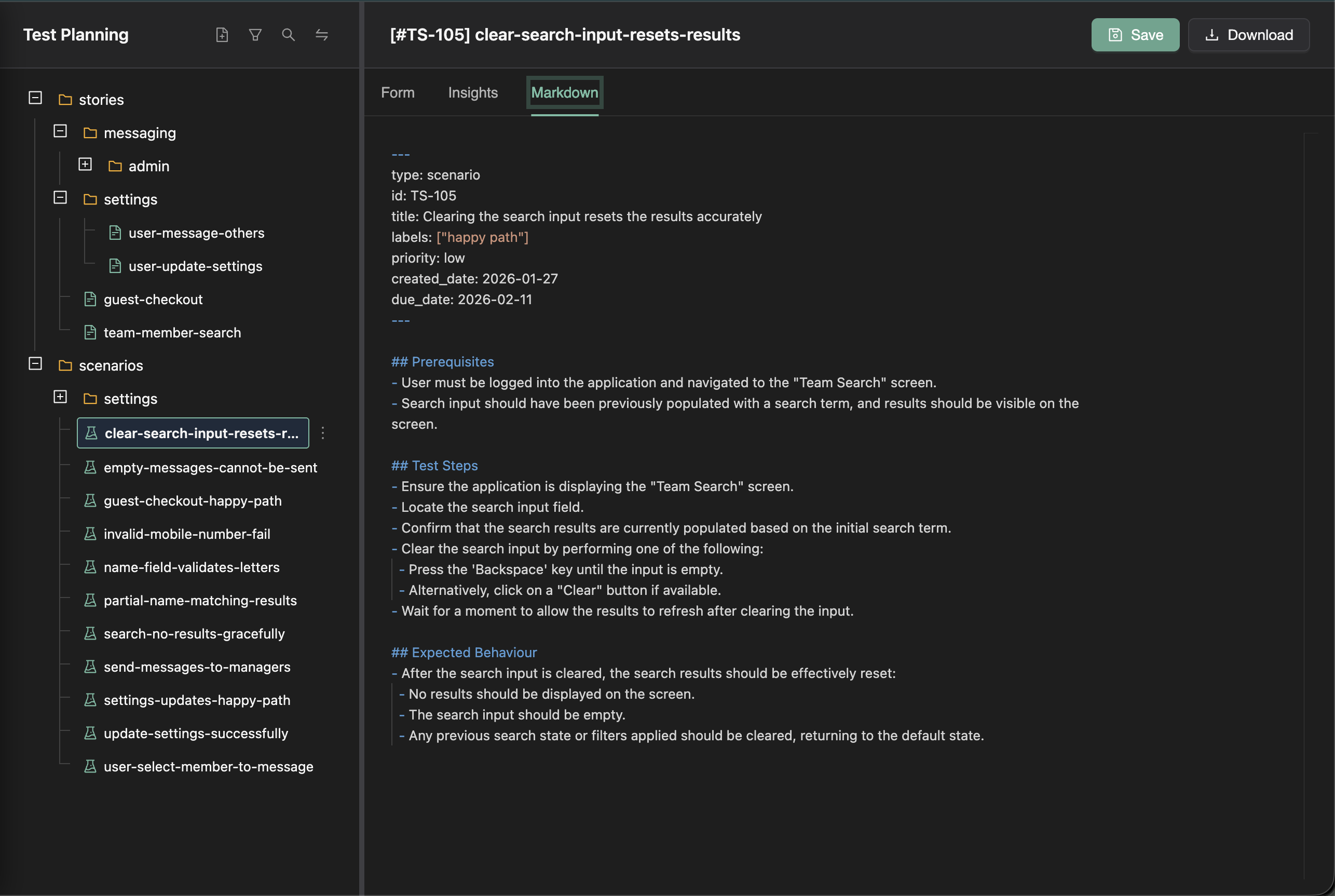
There are some pretty significant advantages to maintaining stories and scenarios as simple .md files.
At its core, a test plan defines test objectives, scope, risks, resources, and schedules—so execution stays aligned to what “done” means (ISTQB on test plan purpose and content).
First, they sync to your code repository. That means your coding and testing agents can read them and work on them directly. No proprietary API, no “export for AI”—just the same files your team already uses.
Second, you can organize them in a nested folder structure however you want. By area. By journey. By team. That structure gives agents broader context. They see related stories and linked scenarios, not just isolated tickets floating in a database.
This is what actually gets stored in your repo. No proprietary formats. No lock-in. Just plain markdown.
“I don’t want to manage status in a text editor”
Humans still need workflows. We need priorities, due dates, and assignees.
TestChimp layers those workflows on top of the files. You get the familiarity of a structured UI for human workflows—rich forms, status dropdowns, filters—without losing the benefits of file-first planning. The source of truth stays in the files; the platform makes them easier to work with.
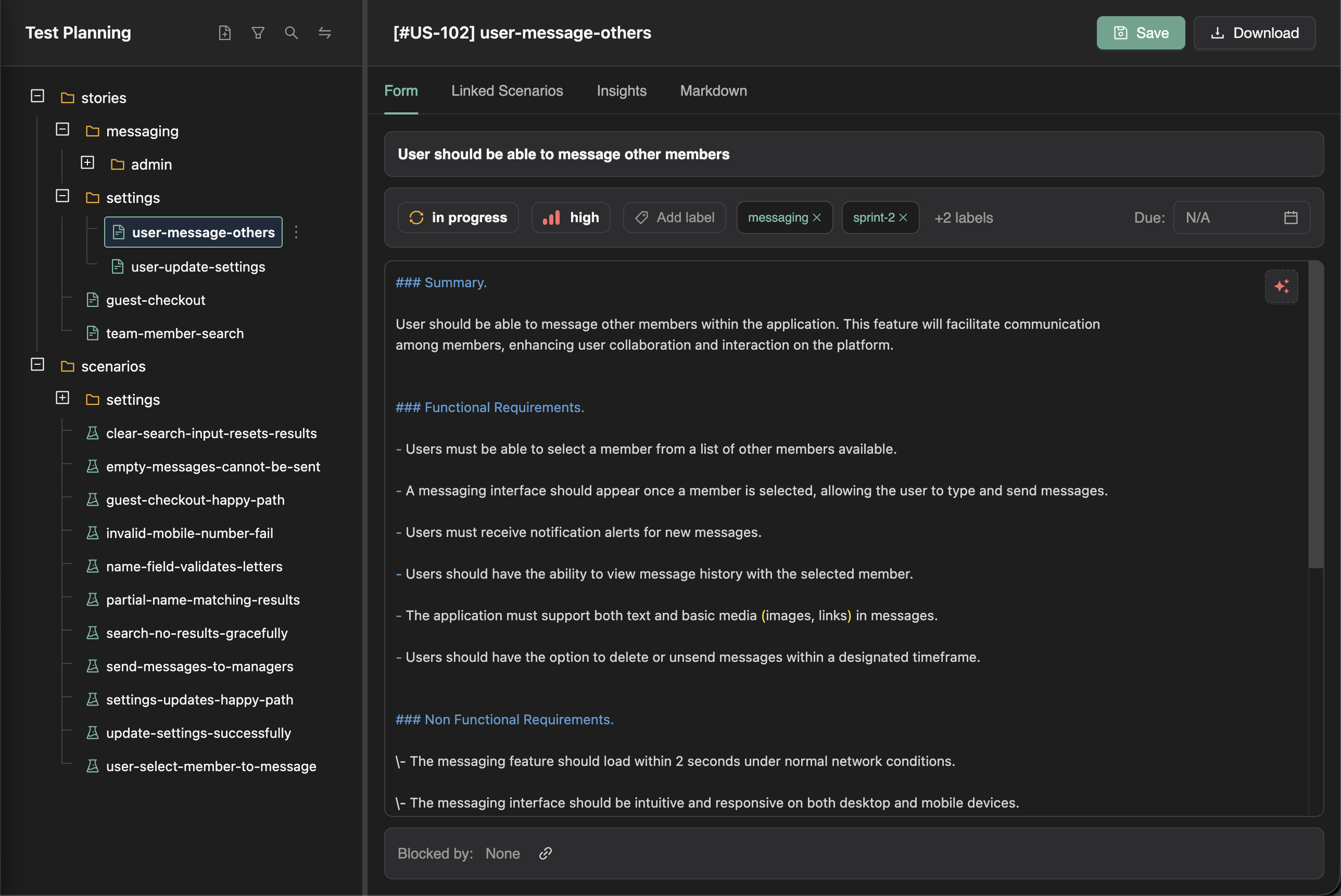
And because TestChimp indexes everything, the AI can actually work with your plan. It can help write or refine a user story more accurately. It can suggest relevant test scenarios. It can even detail them out, grounded in your actual requirements.
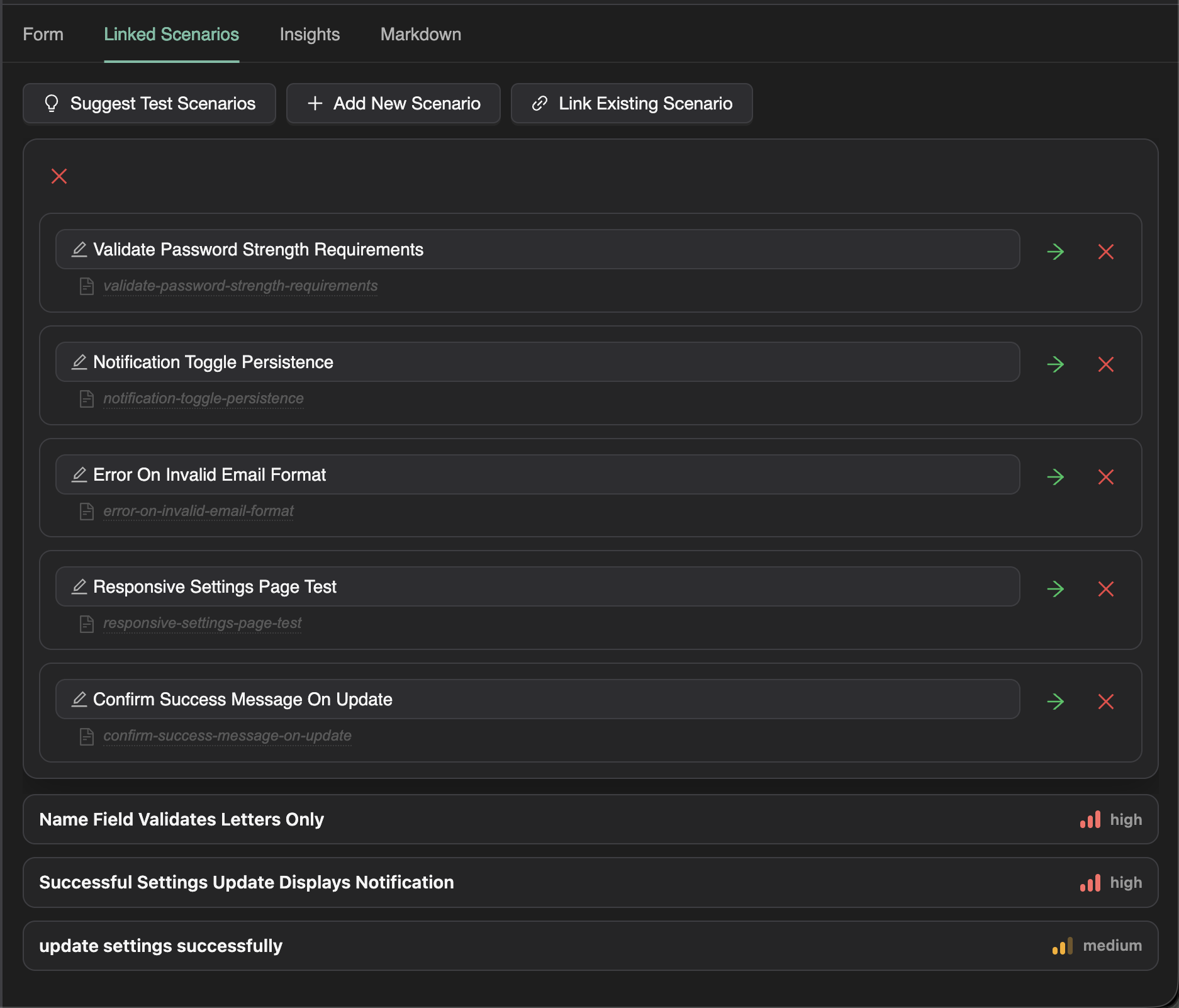
Linking tests is trivial
Once you have scenarios, linking tests is trivial. Just add a Playwright annotation in your test code:
test('shows error for invalid credentials', {
  annotation: [
    { type: 'scenario', description: '#TS-101' },
  ],
}, async ({ page }) => {
  // ...
});
No spreadsheets. No manual mapping. No juggling multiple tools.
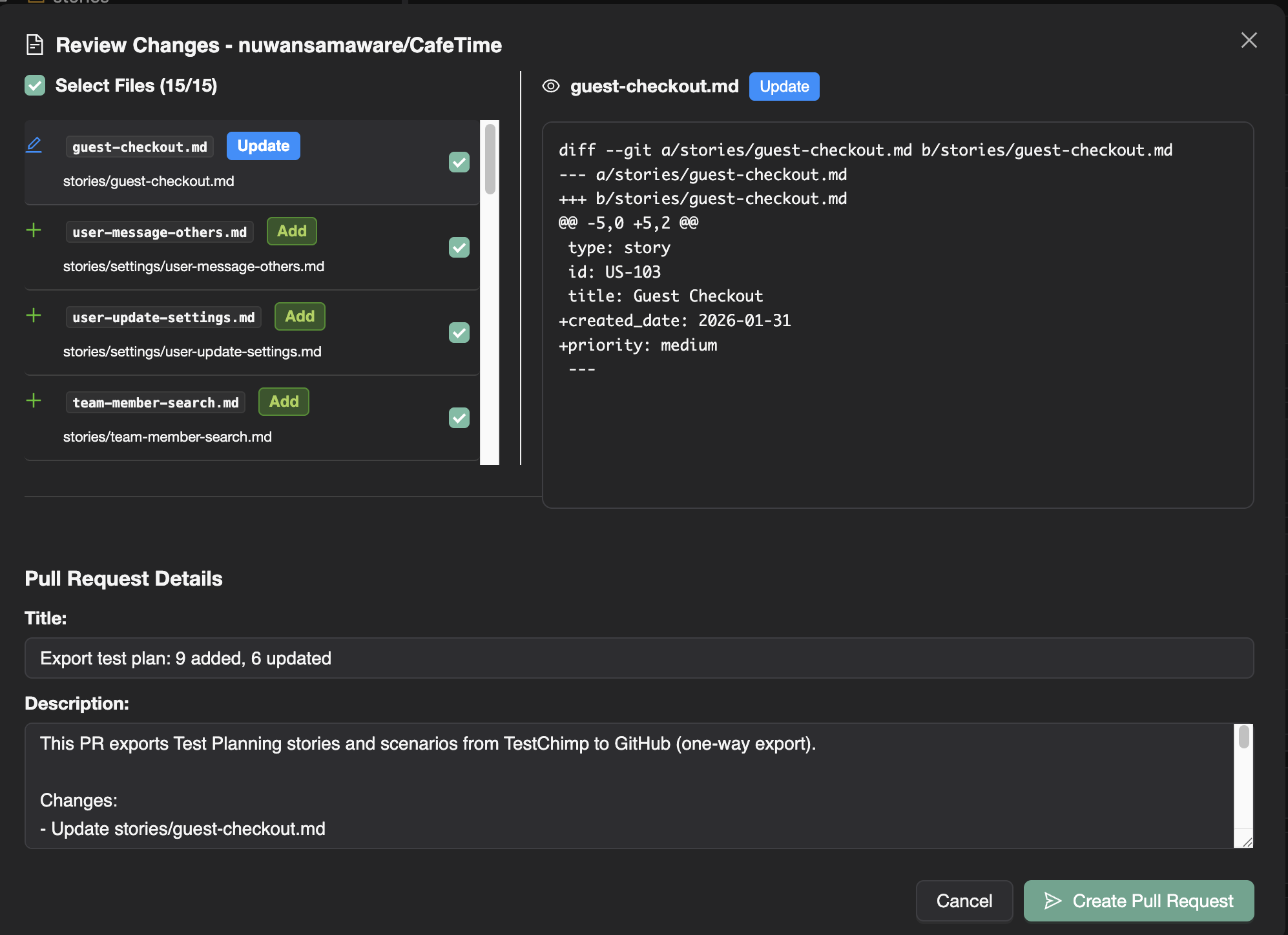
Export to Git keeps your test plan in the repo—stories and scenarios live under a path you choose, with full history and pull-request workflows. Your agents and your CI see the same files.
Coverage at any granularity
As tests run, coverage insights update automatically. And because your stories are organized in folders, you can see coverage at any granularity—per story, per area, per component.
If you’re working in a team where different groups own different parts of the system, you already know how useful this is.
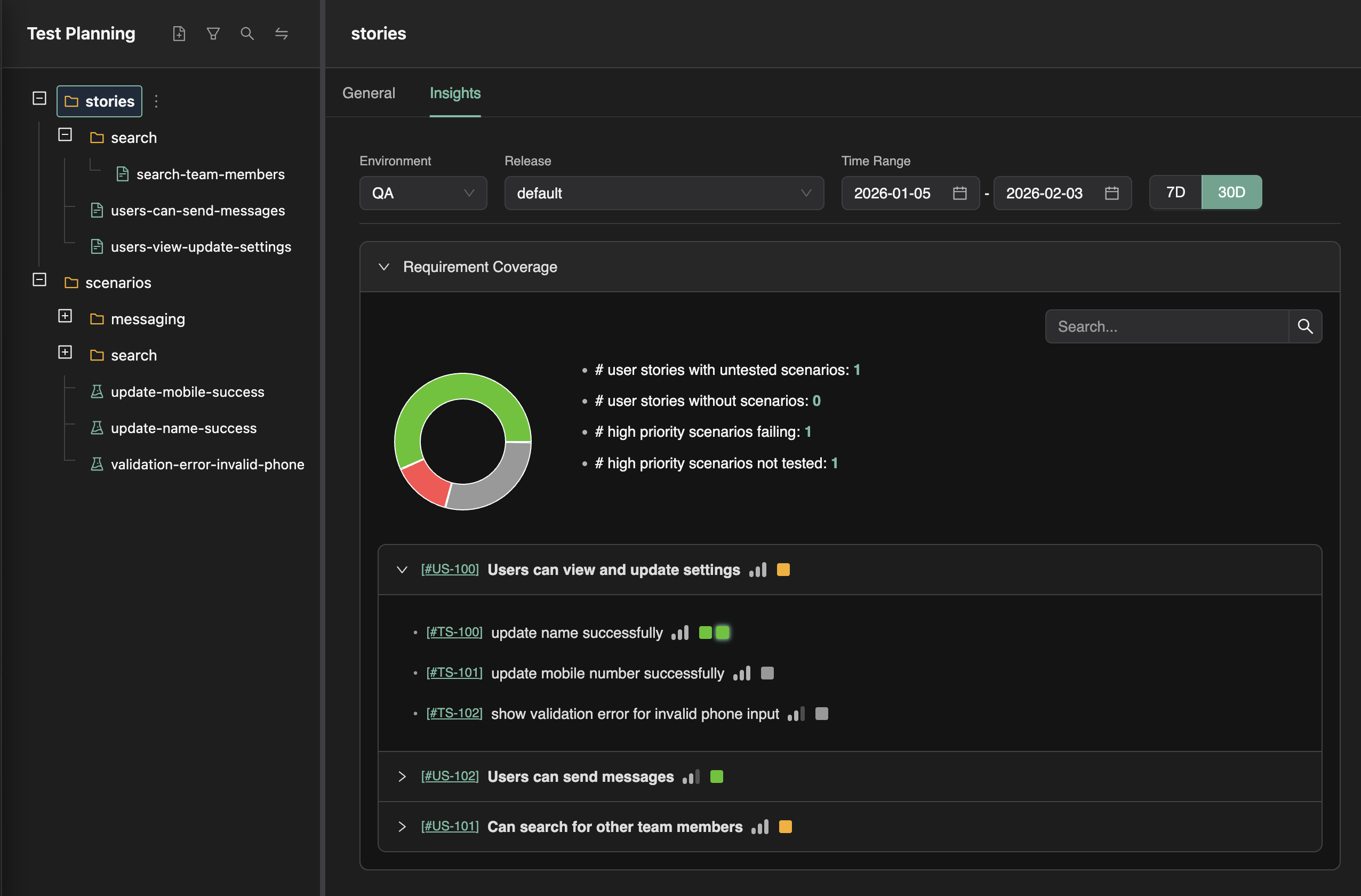
You can finally answer the question: Which scenarios are due next week, ready for testing, but still missing coverage? No spreadsheet. No manual roll-up. Just select the folder, apply the filters, and look at the Insights tab.
Wrapping up
Test Planning as Code is a different take on where test artifacts should live and who should be able to use them. Files in the repo instead of rows in a database; workflows layered on for humans, and that same file structure giving agents the context they need. If that approach resonates—or you’re just curious how it works in practice—we’ve documented the full workflow in the Test Planning section: authoring user stories, authoring test scenarios, export to Git, and requirement traceability.