Bug Source Analytics Recipe
In brief: Bug Source Analytics is the default recipe for teams with SmartTests—comprehensive multi-source analysis and regression checks at each screen-state checkpoint.
The Bug Source Analytics recipe is the primary recipe when SmartTests are present in your project. This recipe provides comprehensive bug detection by analyzing multiple data sources and performing regression testing.
Overview
This recipe analyzes various bug sources (DOM, Screenshot, Network, Console, Metrics) for issues and flags them. In addition to source analysis, it performs visual and performance regression testing. All identified bugs are tagged at the specific screen-state where they were found.
What This Recipe Does
During explorations using this recipe, ExploreChimp:
- Navigates along paths defined by SmartTests, ensuring it explores the areas you care about while maintaining the speed and determinism of scripted tests
- Detects and annotates screen-states: If screen-state annotations are present in your SmartTest code, they're used for tagging bugs. If not present, the agent deduces screen states and can update the script with annotations after exploration
- Identifies bugs by analyzing multiple data sources (see Types of Bug Sources below)
- Tags bugs at screen-state level, providing precise context about where issues occur
- Builds and updates the Atlas by identifying screens and states, mapping relationships, and tracking navigation pathways
- Performs visual regression testing by comparing screenshots with baselines managed in the Atlas
- Performs performance regression testing by comparing metrics with thresholds managed in the Atlas
- Contextualizes bugs in the SiteMap, making it easy to understand where issues occur and how they relate to your application's structure
Types of Bug Sources
ExploreChimp analyzes the following sources to identify bugs:
- DOM analysis: Structure, content, and relationships
- Screenshot analysis: Visual appearance and layout
- Network activity: API calls, responses, and errors
- Console logs: JavaScript errors and warnings
- Browser metrics: Performance, memory, and other metrics
Types of Bugs Found
ExploreChimp identifies various types of bugs across multiple categories:
Content Issues
- Ambiguous content: Unclear or confusing text that may mislead users
- Dangling template strings: Template variables that weren't properly replaced (e.g.,
{{variable}}appearing in the UI) - Grammar/Spelling: Text errors and typos
Visual and Layout Issues
- Layout breakages: Elements breaking out of their containers or overlapping incorrectly
- Visual polish issues: Inconsistent styling, spacing, or visual design
- Alignment issues: Elements misaligned or not properly positioned
- Scroll bars appearing in weird places: Unexpected scroll bars or scroll behavior
- Missing links/images: Broken references, missing assets
Performance Issues
- Slow interactions: Delayed responses to user actions
- Long tasks blocking the main thread: JavaScript operations that freeze the UI
- Large resource loads slowing UI responsiveness: Heavy resources impacting user experience
- Janky animations: Stuttering, choppy, or poorly performing animations
- Slow load times: Pages or resources taking too long to load
Security Issues
- Security vulnerabilities from network analysis: Issues detected in API calls, responses, or network traffic
- Missing security headers: Security headers not properly configured
Usability and Accessibility
- Usability issues: Confusing flows, unclear UI elements
- Responsiveness issues: Problems with different viewport sizes
- Accessibility issues: Missing alt texts, labels, tab indexes
ExploreChimp continuously expands its detection capabilities to identify new types of issues.
Configuration
When using the Bug Source Analytics recipe, you can configure:
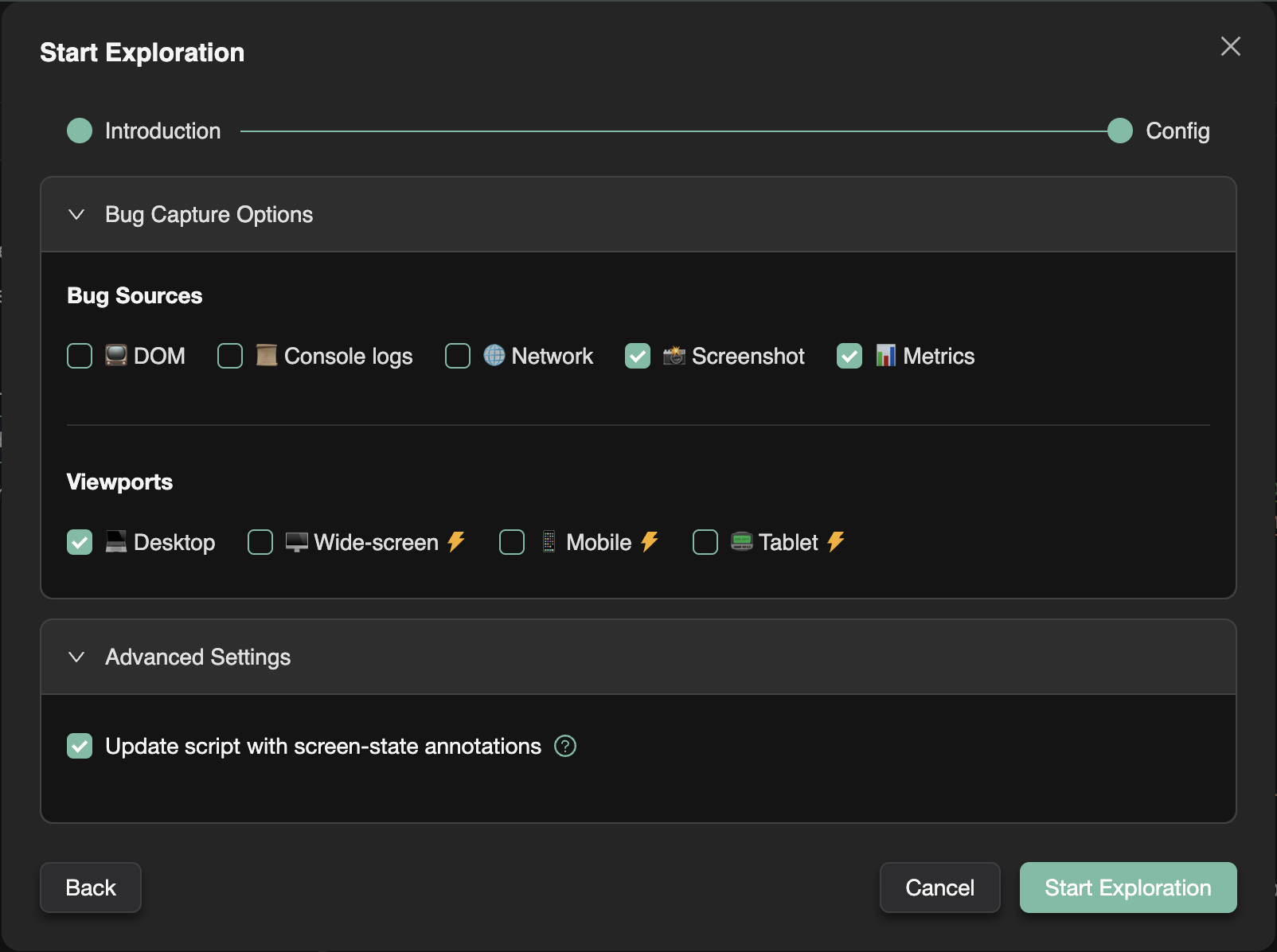
- Bug sources to analyze: Select which data sources to analyze (DOM, Screenshot, Network, Console, Metrics)
- Visual regression testing: Enable/disable visual regression testing
- Performance regression testing: Enable/disable performance regression testing
- Update screen-state annotations: Toggle whether to update SmartTest scripts with screen-state annotations after exploration
- Target screen-states: Limit analytics to specific screen-states (see How to Run an Exploration)
- Max credits: Set the maximum number of explorer credits to consume
- Max journeys: Set the maximum number of journeys to execute
When to Use This Recipe
Use the Bug Source Analytics recipe when:
- You have SmartTests in your project
- You want comprehensive bug detection across multiple data sources
- You need visual and performance regression testing
- You want ongoing quality assurance for your application
This recipe is ideal for regular testing workflows and provides the most comprehensive analysis of your application.
FAQ
When should I use this recipe?
When you have SmartTests with markScreenState and want ongoing UX, visual, and performance assurance along real journeys.
What regressions does it detect?
Screenshot baselines vs current UI and metric thresholds vs historical performance at annotated states.
How are bugs tagged?
Each finding ties to the screen-state where analysis ran, feeding Atlas and UX bug traceability views.